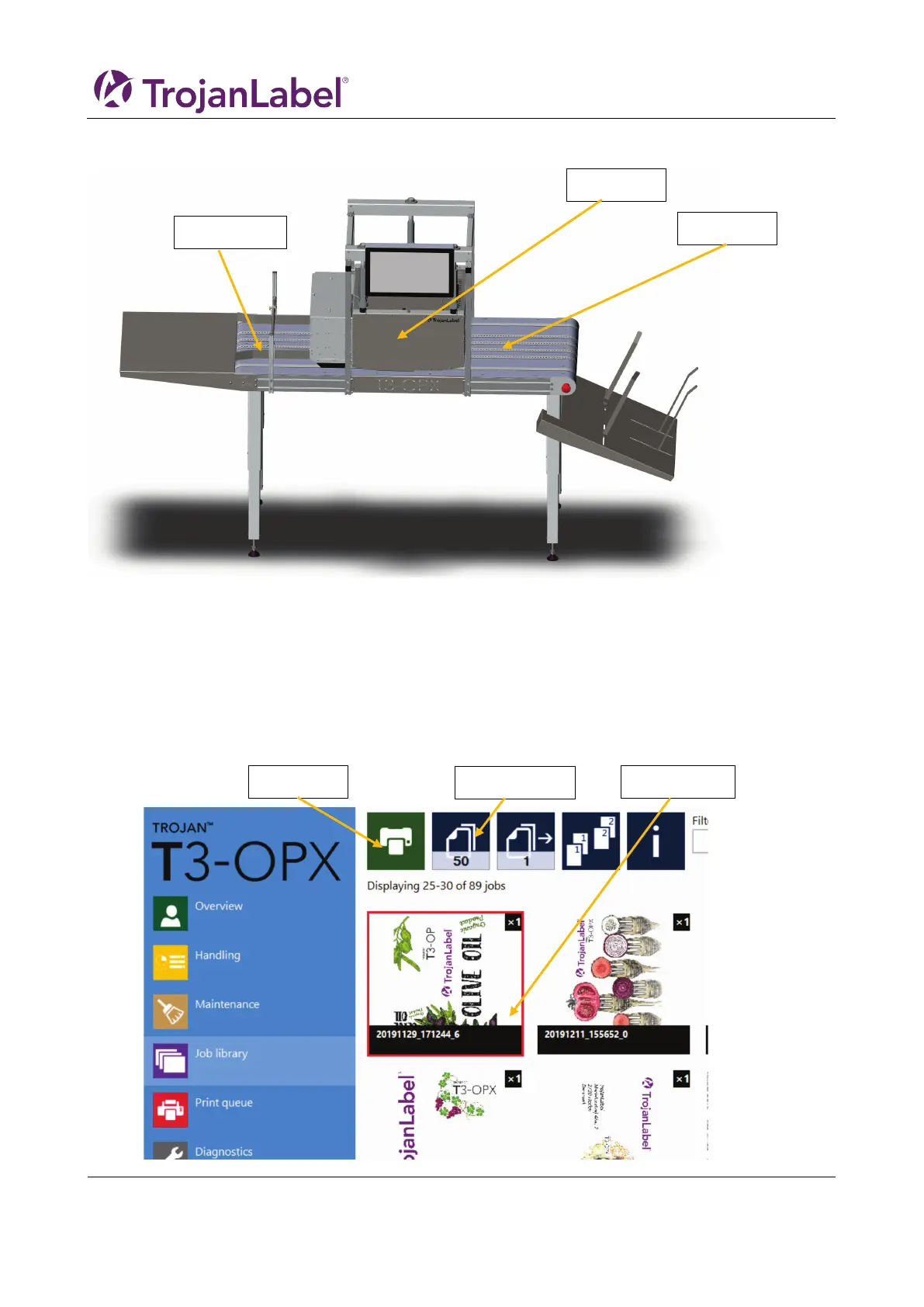
6 Printing a job from the Job Library
NOTE: all jobs are per default centred. Use the RIP to move the print or position the medie accordingly.
1. Select or create the media profile in menu: media settings (See chapter 8 Automatically calibrating
the job/media height)
This will ensure that the job has the correct print height relative to the media and edge sensor is set
2. Place the media to print on the feeding side (see above) of the print unit
3. Go to the job library
4. Select the print job (indicated by a red square)
5. Enter the number of units to print, by clicking the units button


 To Next Page