• Ink cartridge price (CMY) Insert price of one CMY (they are priced identically) cartridge in local
currency. This is used for ink cost calculation.
NOTE: The ink price displayed in above screenshot is illustration only.
• Print unit price when entered is also included in cost calculation in statistics menu
• Print head life time is theoretical value given in milliliters, which is used in combination with the
Print unit price, to calculate the wear cost of the print unit for the particular job. The value
entered here represents the printed ink volume until a planned print head change.
An expected amortization is also calculated with the cost/label calculation.
• Currency Insert the currency of the above costs. This is for display only, no conversions are
made based on the input.
IMPORTANT: Press the blue ‘Save’ button to apply the changes.
4.2.2 Network Button
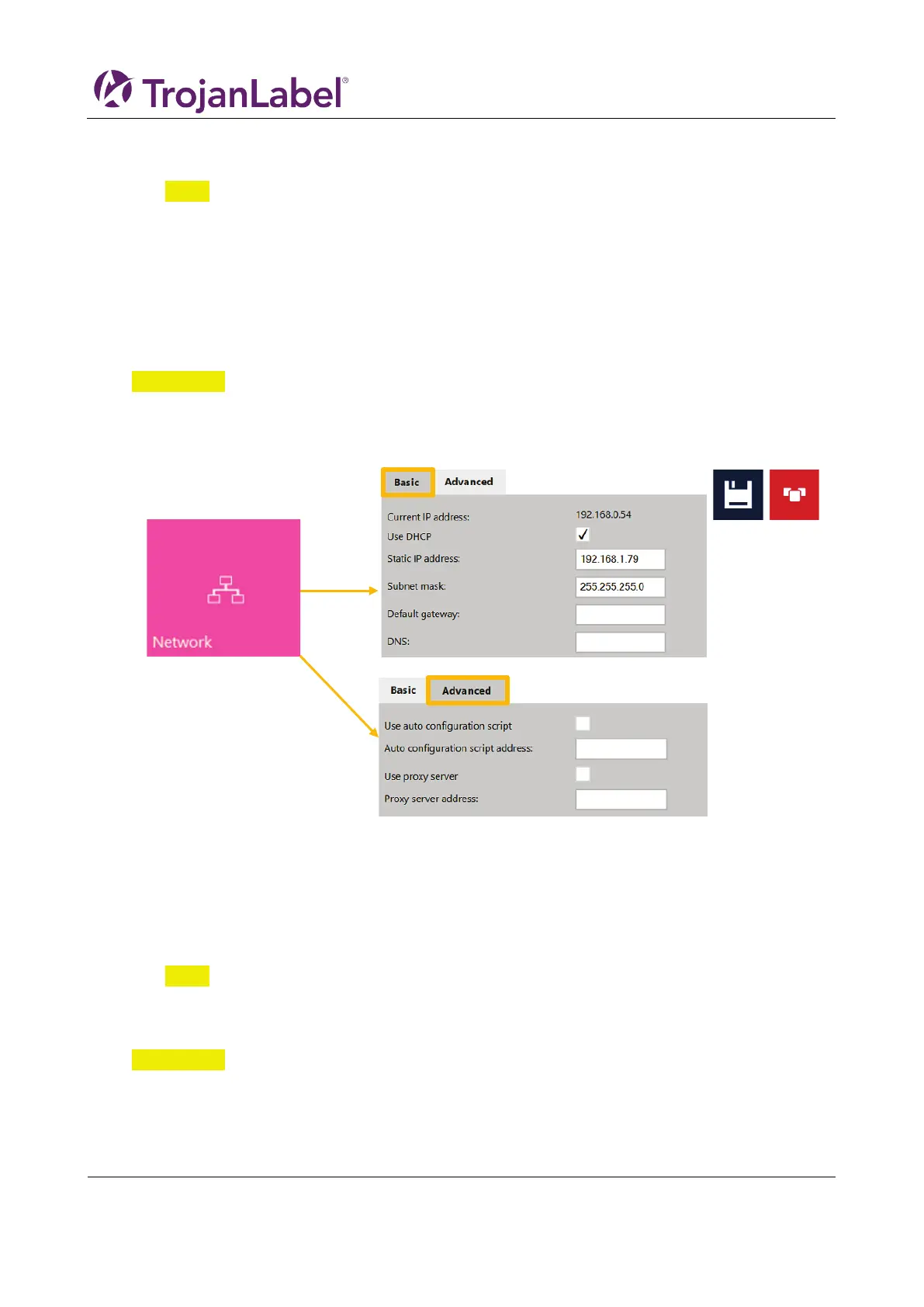
• Select ‘Use DHCP’ checkbox to acquire IP address for the T3-OPX from the local network (as long
as DHCP mode is selected, the T3-OPX ignores any static IP settings).
• Current IP address field displays the current IP address of the T3-OPX on the local network.
• Uncheck ’Use DHCP’ checkbox when local network policy recommends using static IP address.
• Red button: ‘Restart Trojan Control and Print Engine’ button is for re-initializing the software
and also restarting the print engine.
NOTE: Use only if user interface becomes unresponsive to restart print engine and software.
• Advanced tab: enables usage of Auto configuration scripts or Proxy Server whenever the local
network policy requires these for network/internet connection.
IMPORTANT: Press the blue ‘Save’ button to apply the changes.



 To Next Page