3.13 Calibrate the print head optional
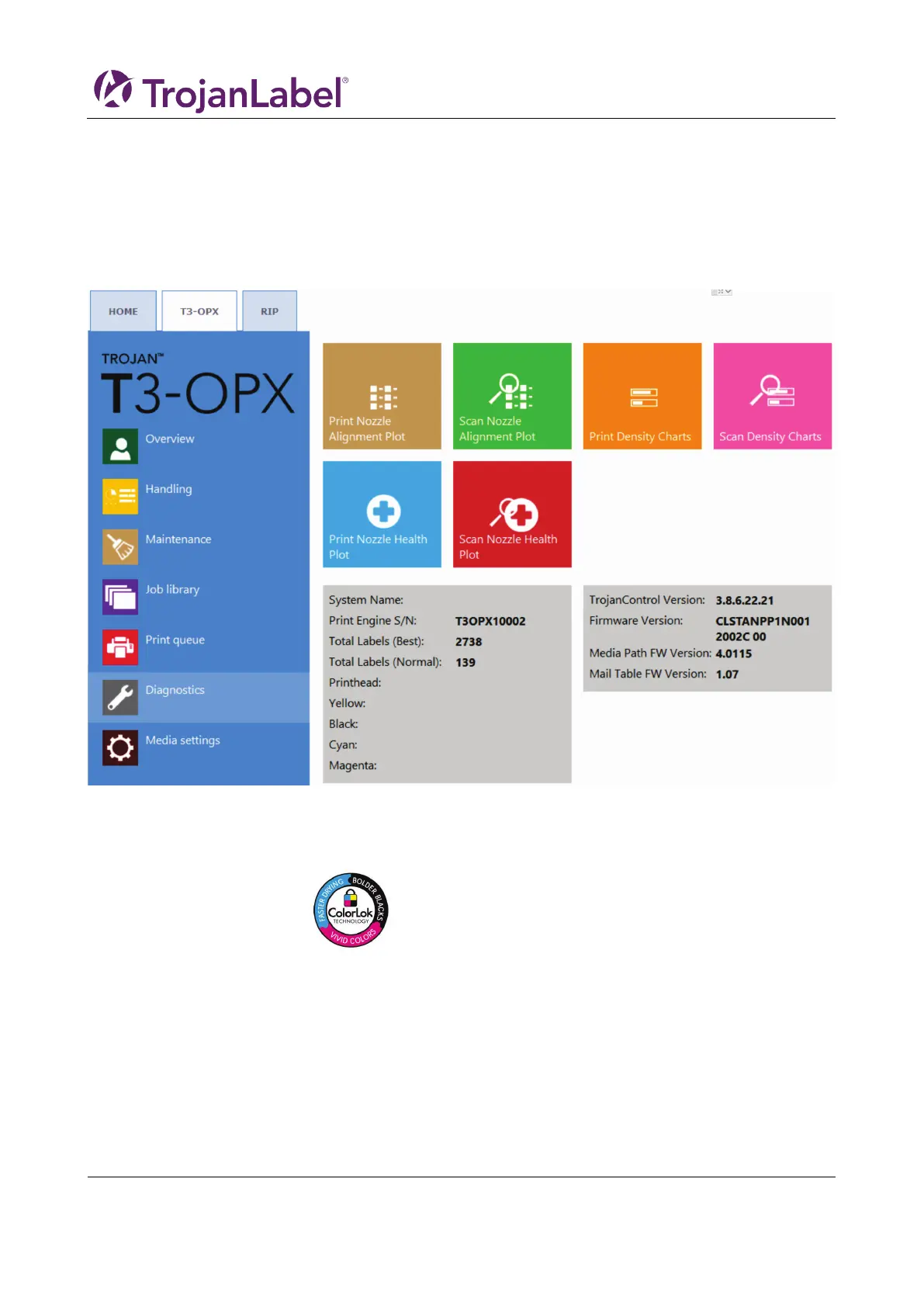
The print head calibration routines consist of 3 parts:
1. Nozzle alignment
2. Color density
3. Nozzle health
All parts require a printing and scanning the result. The print unit will calibrate the nozzles and ink drop
based scans. Overview of the Dianosticsa menu:
Prerequisites:
• 1 x scanner (EPSON v600)
• High grade ColorLok paper (Minimum A4), 160 grs (or heavier)
o ColorLok logo
• Print height is calibrated to the high grade paper height
• Media entry sensor is calibrated to the high grade paper
3.13.1 Nozzle alignment
1. Goto Diagnostics menu
2. Press ”Print Nozzle Alignment Plot”
3. Place the paper on the table
4. Press ”Print Nozzle Alignment chart”



 To Next Page