TrojanTwo User Guide v3.8
5 Calibrate the web path (paper)
It is assumed that the label rolls are placed correctly and the machine is threaded with media.
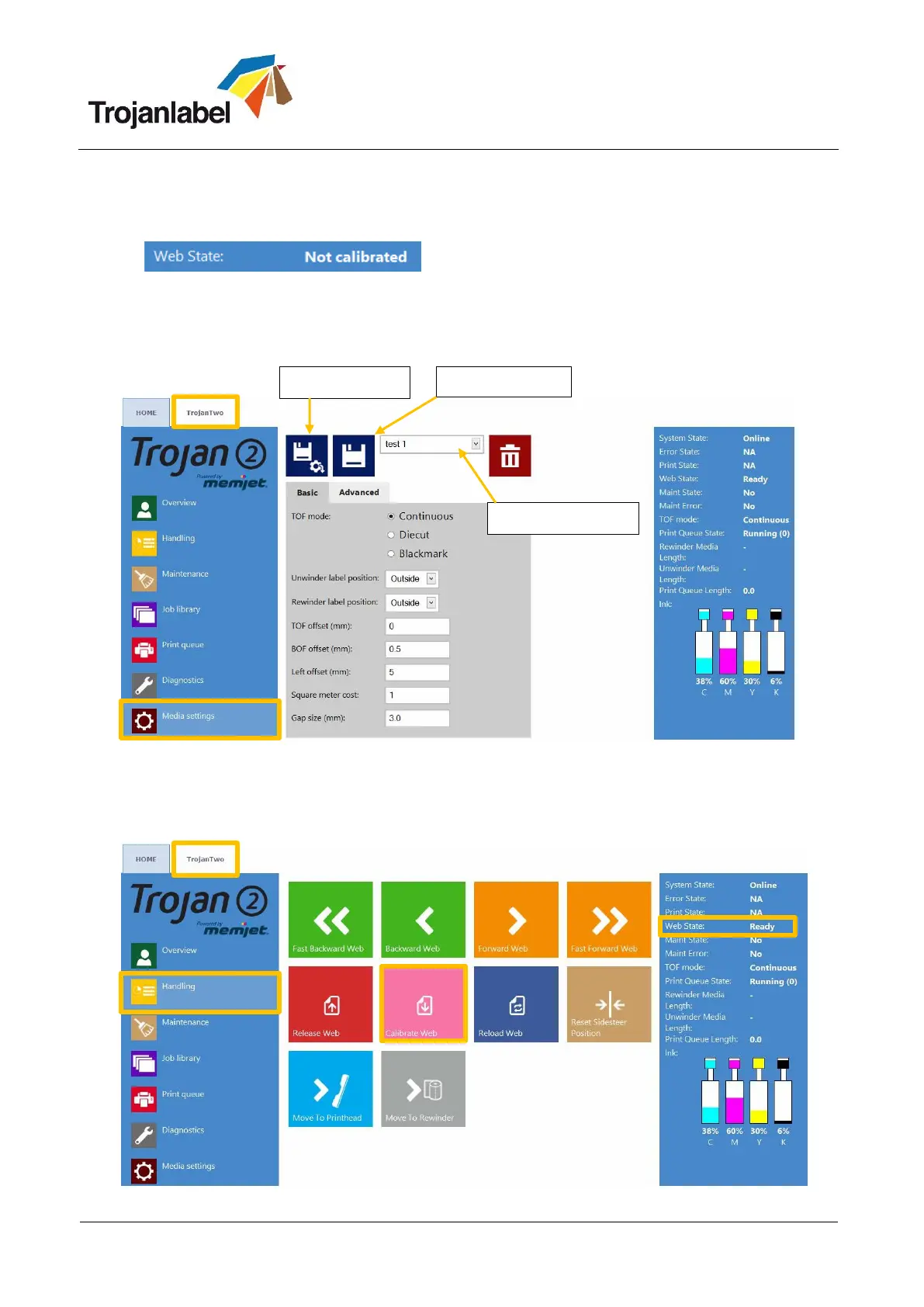
1. Web state is currently: “Not calibrated”.
2. Select the TrojanTwo tab.
3. Select ‘Media settings’ menu.
4. From the profile drop down select the correct Media Profile that fits the paper or create a profile
that matches the material and print job.
5. Press the apply settings button.
6. Go to TrojanTwo\Handling menu.
7. Press ‘Calibrate web’ button.
8. The calibration is finished when “Web State” status reads “Ready”.



 To Next Page