TrojanTwo User Guide v3.8
8 Moving the web
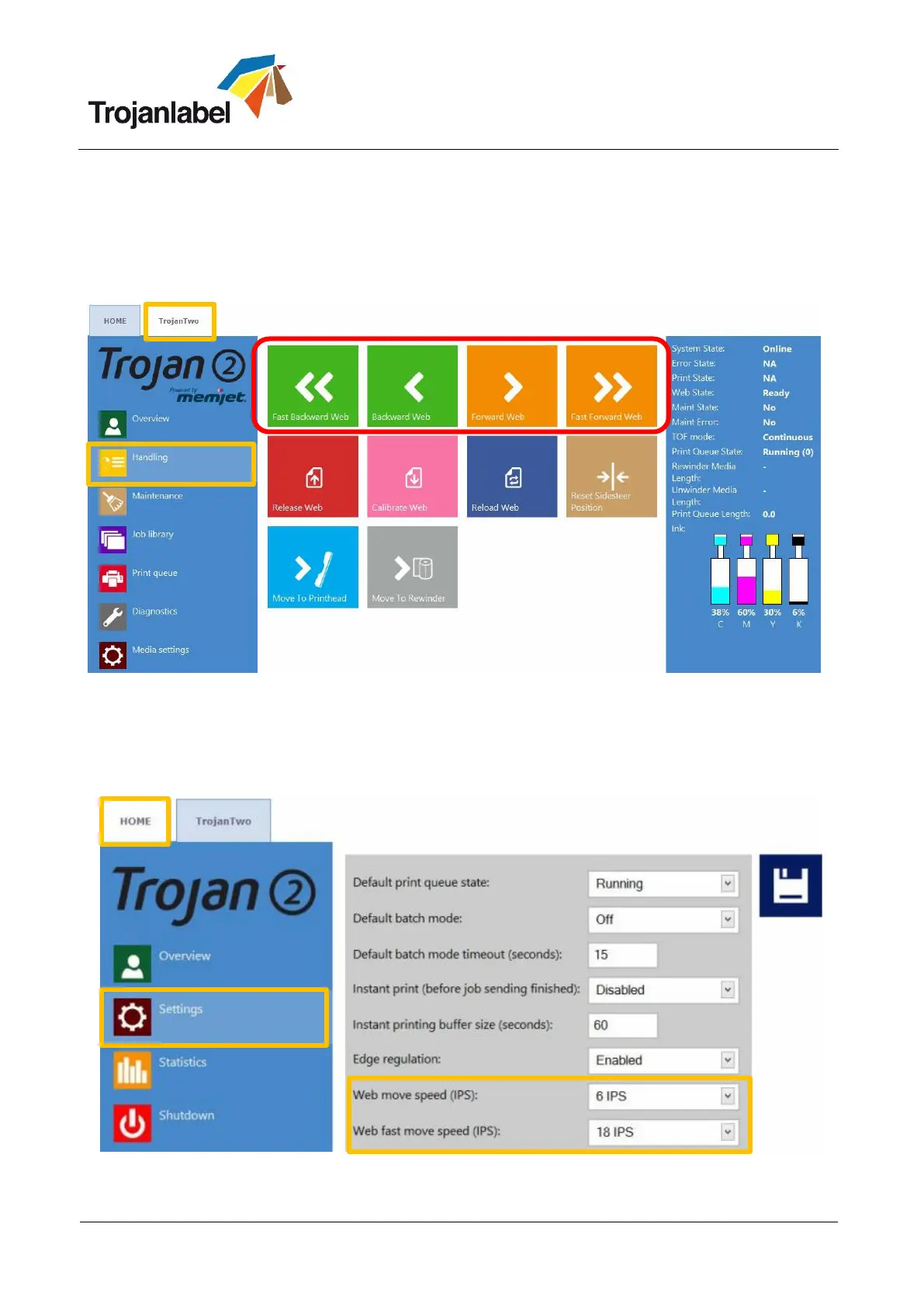
It is possible to move the web backward and forward at two speeds. Go to TrojanTwo -> Handling menu
and select speed and direction by selecting one of the four directional/speed buttons highlighted below.
When a directional button is pressed, the four buttons are replaced with one single stop button. Pressing
the button will stop the web moving (See section 13.3.2 for Handling menu).
Moving the label web from Handling menu
Setting the speed for moving the web:
The movement speed of Forward/Backward Web and Fast Forward/Backward Web buttons can be set
by the user at HOME -> Settings -> Printing Preferences menu:



 To Next Page