TrojanTwo User Guide v3.8
13.3.7 Media Settings
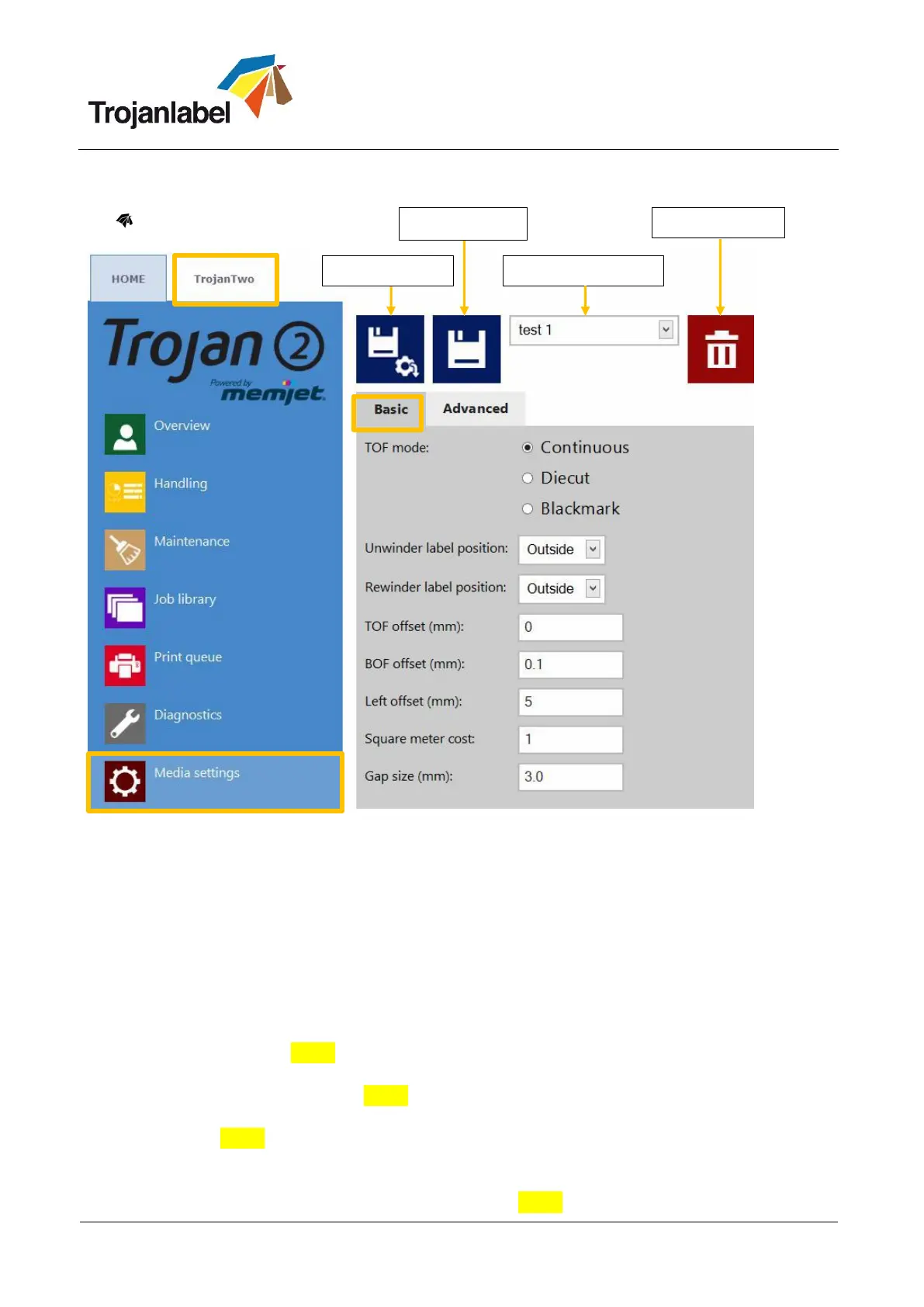
Media Settings Basic:
TOF mode: TOF (Top Of Form) depending on used label media:
Continuous (no gaps between labels)
Diecut (gaps between labels, the labels are pre die-cut on the liner)
Blackmark (pre-printed blackmarkings on the media, blackmarks can be outside or inside on
roll.)
Unwinder label position: Inside/Outside. Unwinder is rotating according to printing inside or
outside of the label roll.
Rewinder label position: Inside/Outside. Rewinder is rotating according to printing inside or
outside of the label roll.
TOF offset (mm): Top Of From (top of label) can be +/- depending on moving the top of the image
up or down on label. NOTE: limits -160mm +160mm
BOF offset (mm): Bottom of Form (bottom of label) can be +/- depending on moving the bottom of
the image up or down on label. NOTE: limits 0mm 100mm
Left offset (mm): Moving printed image towards left or right compared to the left edge of the
printhead. NOTE: limits -127mm 222mm
Square meter/Label cost: Price of one label for die cut material. Square meter price for Continuous
and Blackmark label material. Used for total cost/label calculation. (See section 13.2.3)
Gap size: Setting the gap size between printed labels. NOTE: Maximum gap is 65mm.



 To Next Page