TrojanTwo User Guide v3.8
17.4 Software settings and usage
17.4.1 Enable Slitter in TrojanTwo User Interface
NOTE: The slitter function is visible and enabled in the user interface if the slitter device is installed.
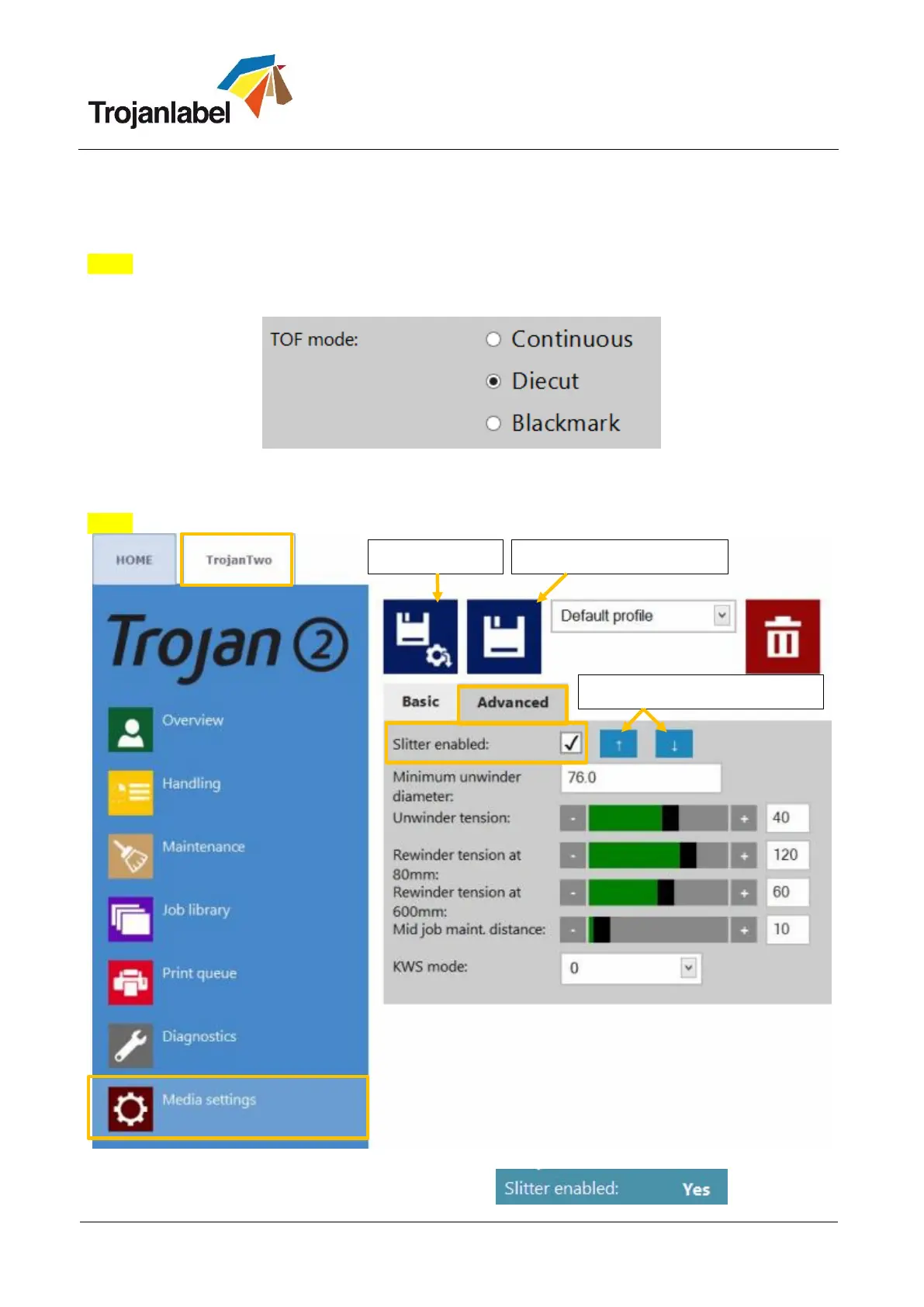
The slitter device only works if TOF mode is set to Die cut in the Media Settings menu
Die cut mode selected at TrojanTwo -> Media Settings... -> Basic menu
Select Slitter checkbox on the TrojanTwo -> Media Settings... -> Advanced menu
NOTE: The slitter blades can be raised when web is being loaded and lowered after with the arrows.
Slitter enabled at TrojanTwo -> Media Settings... -> Advanced menu
Slitter enabled status appears in status bar:
Save Settings into a Profile
Moving slitter blades up/down



 To Previous Page