TrojanTwo User Guide v3.8
13.3.4 Job Library
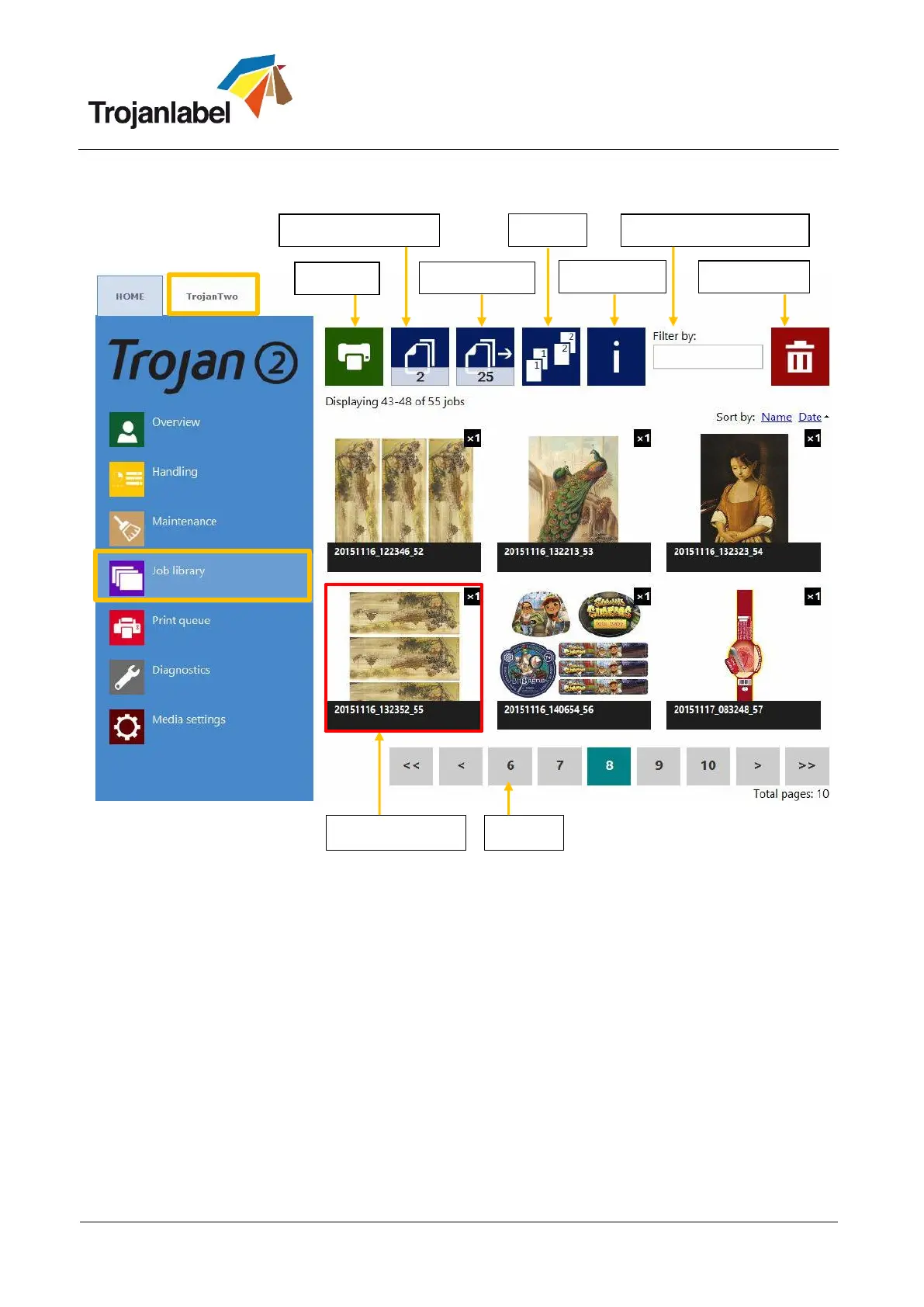
Stores 30 printed jobs with random job name by default (print streams uploaded from driver).
Print jobs can be renamed: Renamed print jobs are stored beyond the default 30 with random
name. Only the drive space is the limit for storing jobs. Renaming can be done at information
window. See picture below.
Remembers last visited page and job when returning to the Job Library menu.
Stored labels:
Print, change number of copies, print from a certain page number
Information about each print job (size, number of labels, speed, cost per label, applied color
profile etc.)
Preview of print job
View images in a print job
Delete print job(s)
Can swipe on touchscreen or use the scroll bar for paging when paging is enabled at HOME ->
Settings -> User Preferences menu (See section 13.2.2)



 To Next Page