TrojanTwo User Guide v3.8
13 Software features
13.1 Right status bar
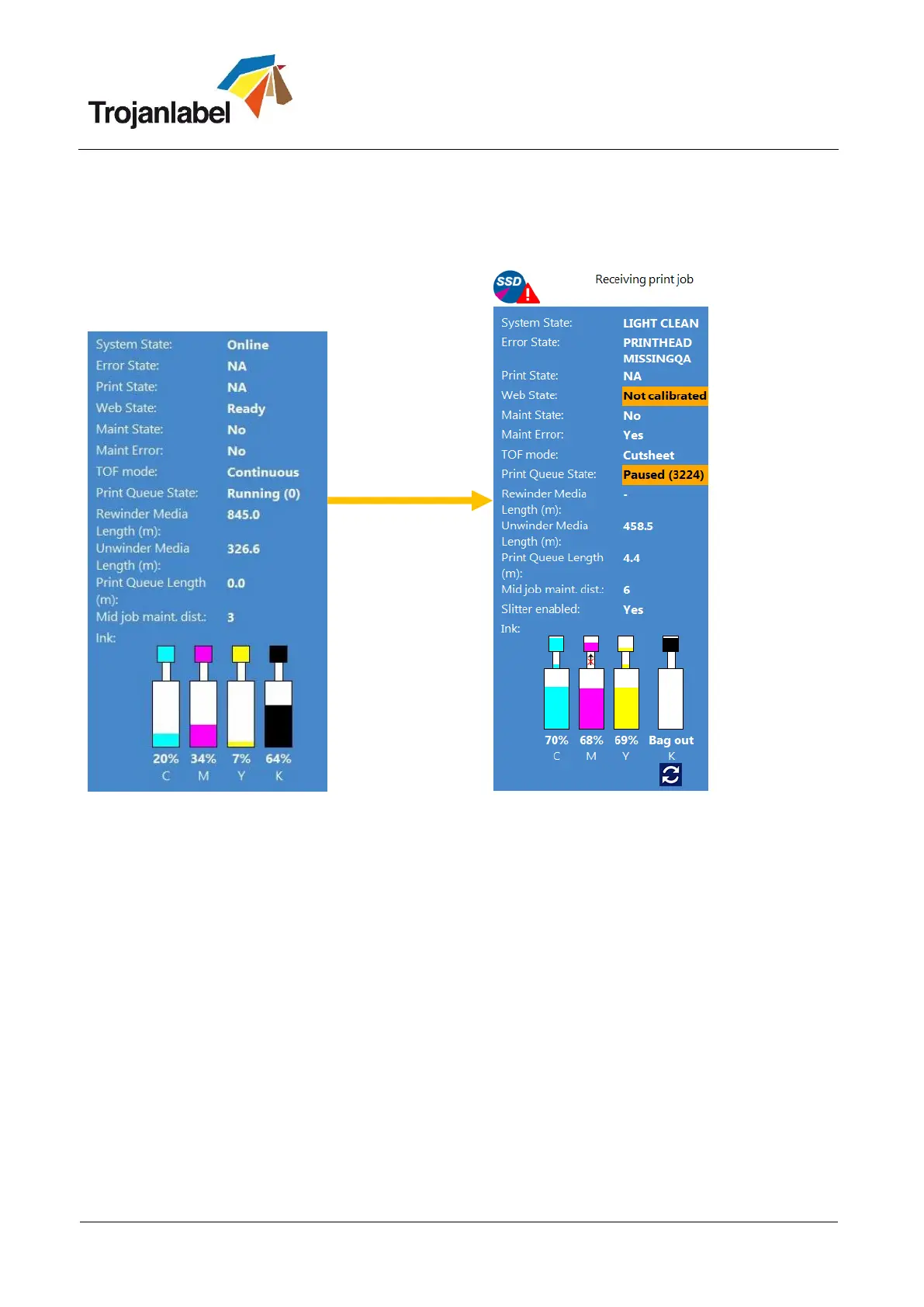
Status bar Status bar changes on events
System State:
Online – ready for printing
Job Available – print job is in the print queue
Paused - print job is paused
Error - shows error state and message
Error State: shows if error state occurs
Print State: shows if machine in printing
Web State: shows status of paper path
Ready – calibrated and ready for printing
Not Calibrated – needs tension calibration
Calibrating – when calibration is in process
Error (x) – shows error code (see section 16.
for error codes)
Maint state: shows status of maintenance
Maint Error: shows error status
TOF mode: shows actual printing mode
(See section 10. for available printing modes)
Print Queue State: Running or Paused
Unwinder/Rewinder Media Length:
calculated from Unwinder/Rewinder spins.
Useful for calculating how many labels can
be printed before changing rolls if compared
with print queue length.
Print Queue Length: total length of print
job(s) in the actual print queue in meters
Mid job maint. dist.: after how many linear
meters does the TrojanTwo perform a Mid-
job maintenance. Value can be set at
TrojanTwo -> Media Settings -> Advanced
menu
Ink status: shows ink levels in ink tanks and
reservoir ink tanks, also shows process when
ink is transferred from the ink tanks to the
reservoir tanks



 To Next Page