TrojanTwo User Guide v3.8
6 Select and queue print/start job
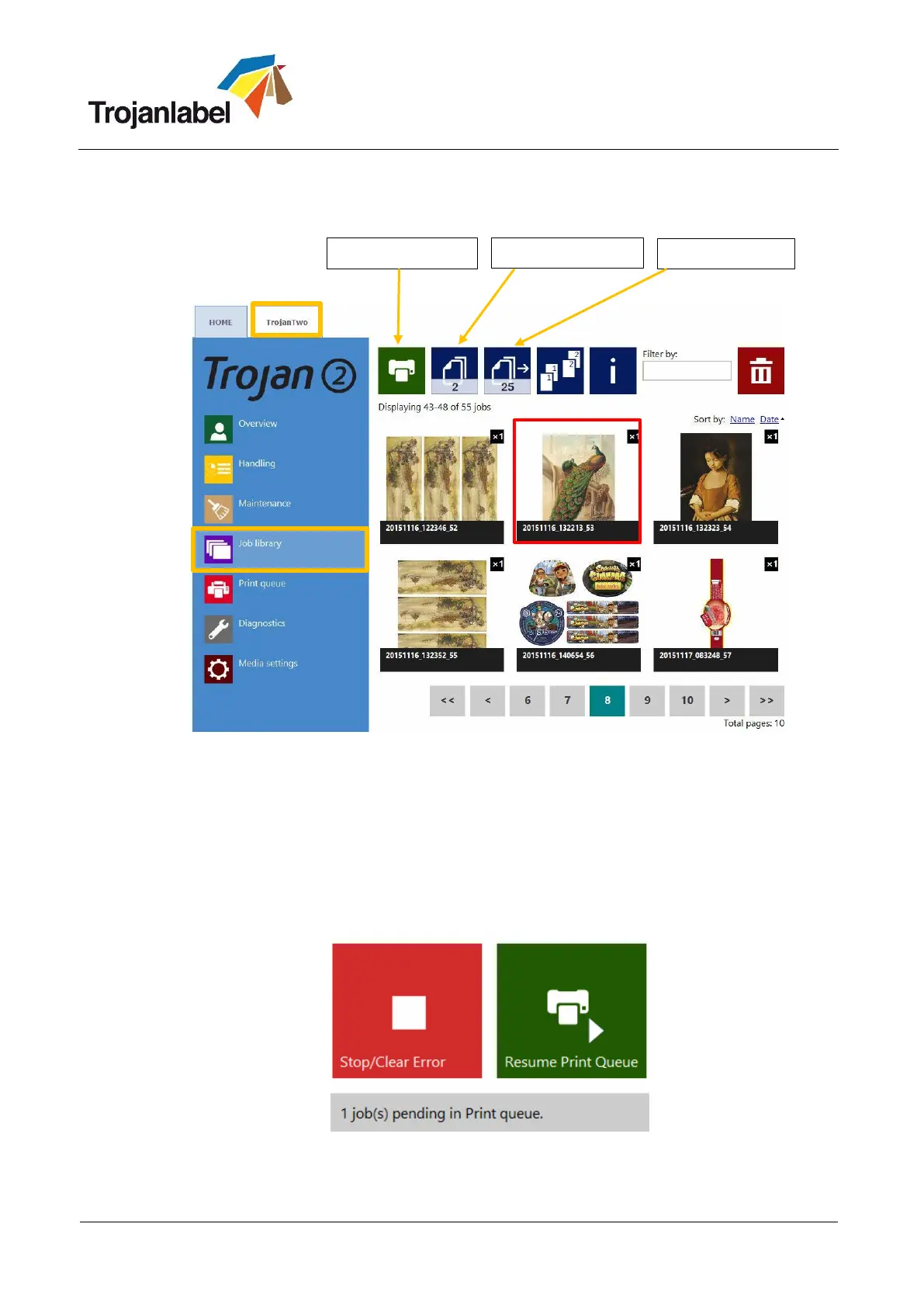
1. Select “Job library” (See section 14.3.3 for full Job Library description)
2. Select a job by pressing the image, the selection is indicated with a red box around the selection.
3. Choose number of copies or from which page to print, by pressing the ‘Number of Copies’ button
or the ‘Print from Page’ button (printing job from a certain page number).
4. Send print to queue by pressing the green print button
5. If the Print Queue is paused, press the resume button on the overview screen. If the queue is active
the print job will start immediately, and print job progress is viewed in the “Overview”-screen,
which is automatically displayed when starting a print.
Print queue is paused. Press Resume Print Queue button to start printing.



 To Next Page