TrojanTwo User Guide v3.8
2 Setting up the TrojanTwo
2.1 Moving and physical setup
The machine is equipped with four (4) wheels for light movement. Do not attempt to push the machine
over doorsteps or other obstacles regardless of size. Due to the very low clearance, please take care if
there are even small height variations of the surface.
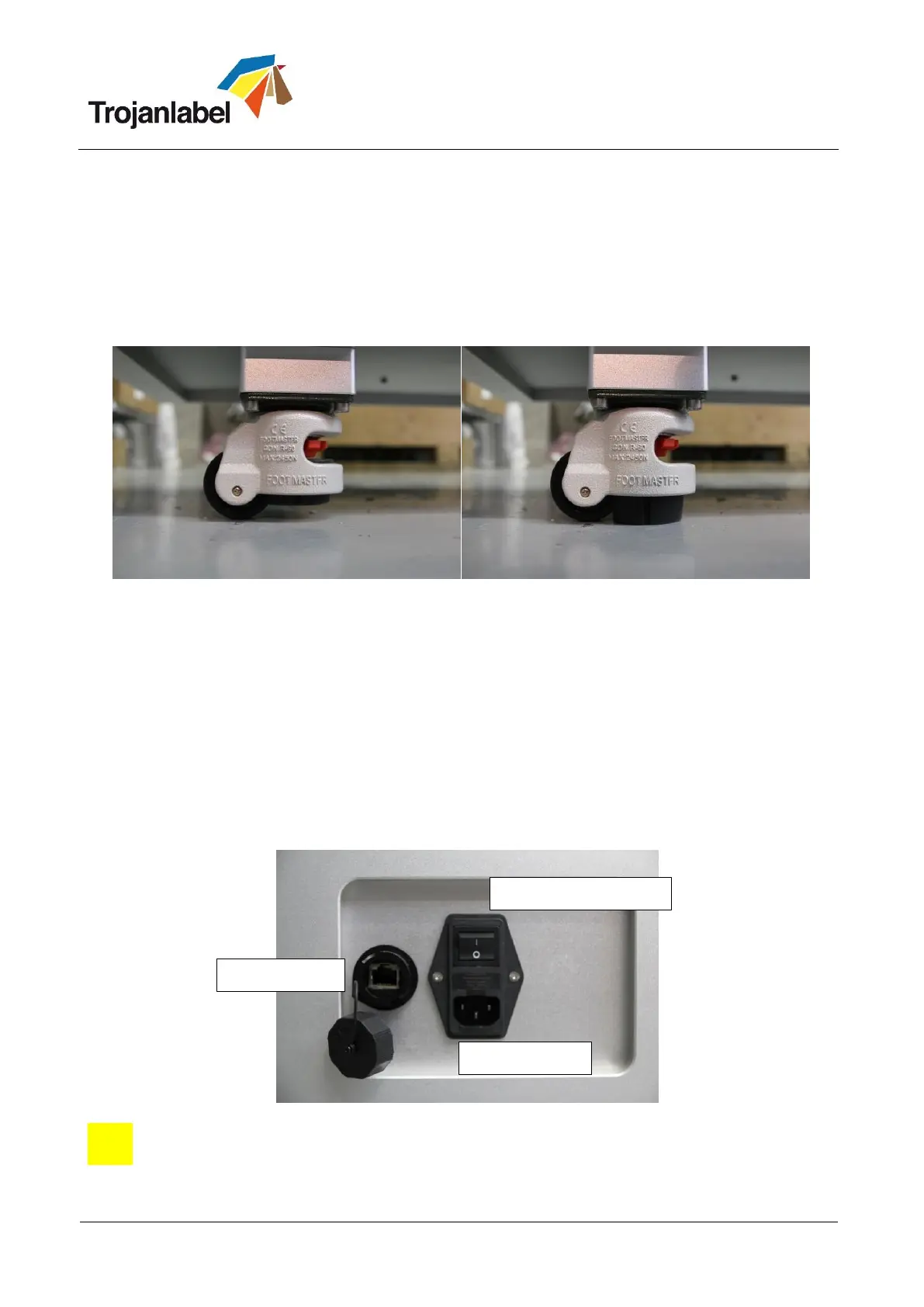
Place the machine on a stable level surface and secured by lowering the built-in the stands, using the red
tooth-wheel, until the wheels move freely without touching the ground.
Confirm the machine is leveled, using a spirit leveler.
2.2 Cabling (network and power)
The machine has two cable inlets:
1. Power Supply
2. Ethernet
Only the power supply cable is necessary for powering up the machine. The network cable is necessary for
sending new print jobs to the TrojanTwo and for remote support/software updates.
NOTE: Some units does not have the cover for the Ethernet port.
NOTE: Ethernet cable is not included in the TrojanTwo package



 To Next Page