TrojanTwo User Guide v3.8
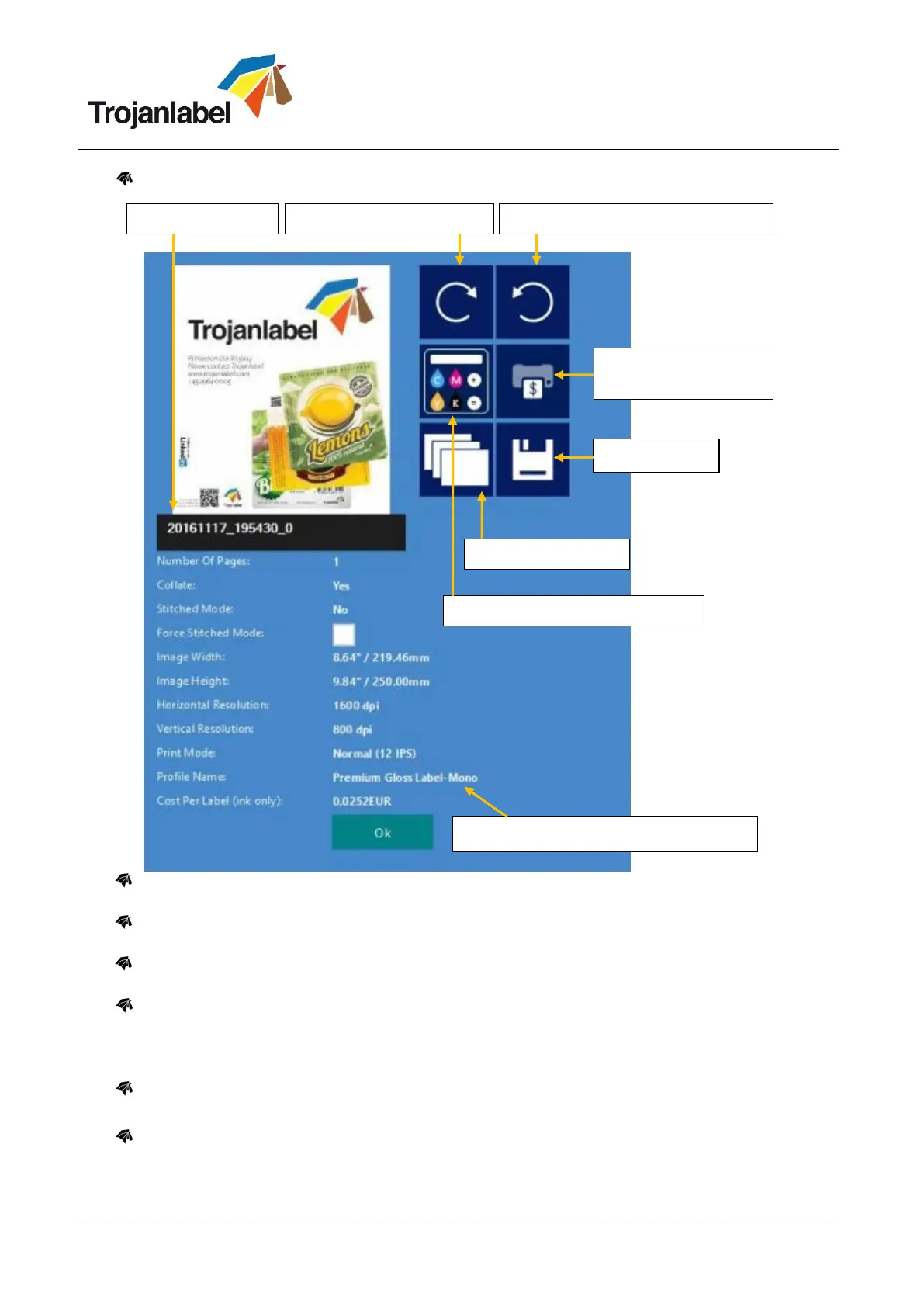
Information button:
Print one copy for cost calculation button: Prints only one copy without pre or post job
maintenance. Focus is on cost/label calculation not on quality. Pure ink cost of 1 label.
Cost calculation without printing button: when pressed the system is capable to calculate the ink
consumption for the certain print job without actually printing the label.
Applied color profile: the color profile applied in the driver when the job was sent (see section 12.2
for selecting color profiles).
Collate button: Describes the order how the different pages will be printed out within one print job
when printing a multipage file.
1. Copies of a page are printed one after the other within a print job
2. Copies of pages are printed in sequential order within a print job
Print From button: makes sense when job contains different pages (variable data, different images
etc.) and user wants to print out the stored job from a certain page number.
Force Stitch Mode checkbox: Normally Stitch mode can be enabled from the TrojanTwo driver,
however enabling the stitch mode checkbox will create a stitch mode job from the actual job when
printed (see more from stitch mode at section 12.2). This function is useful when the job was sent
from the RIP software where stitch mode is not available.
Print one copy for
cost calculation
Applied color profile in the driver
Cost calculation without printing
Rotate preview counter-clockwise



 To Next Page