TrojanTwo User Guide v3.8
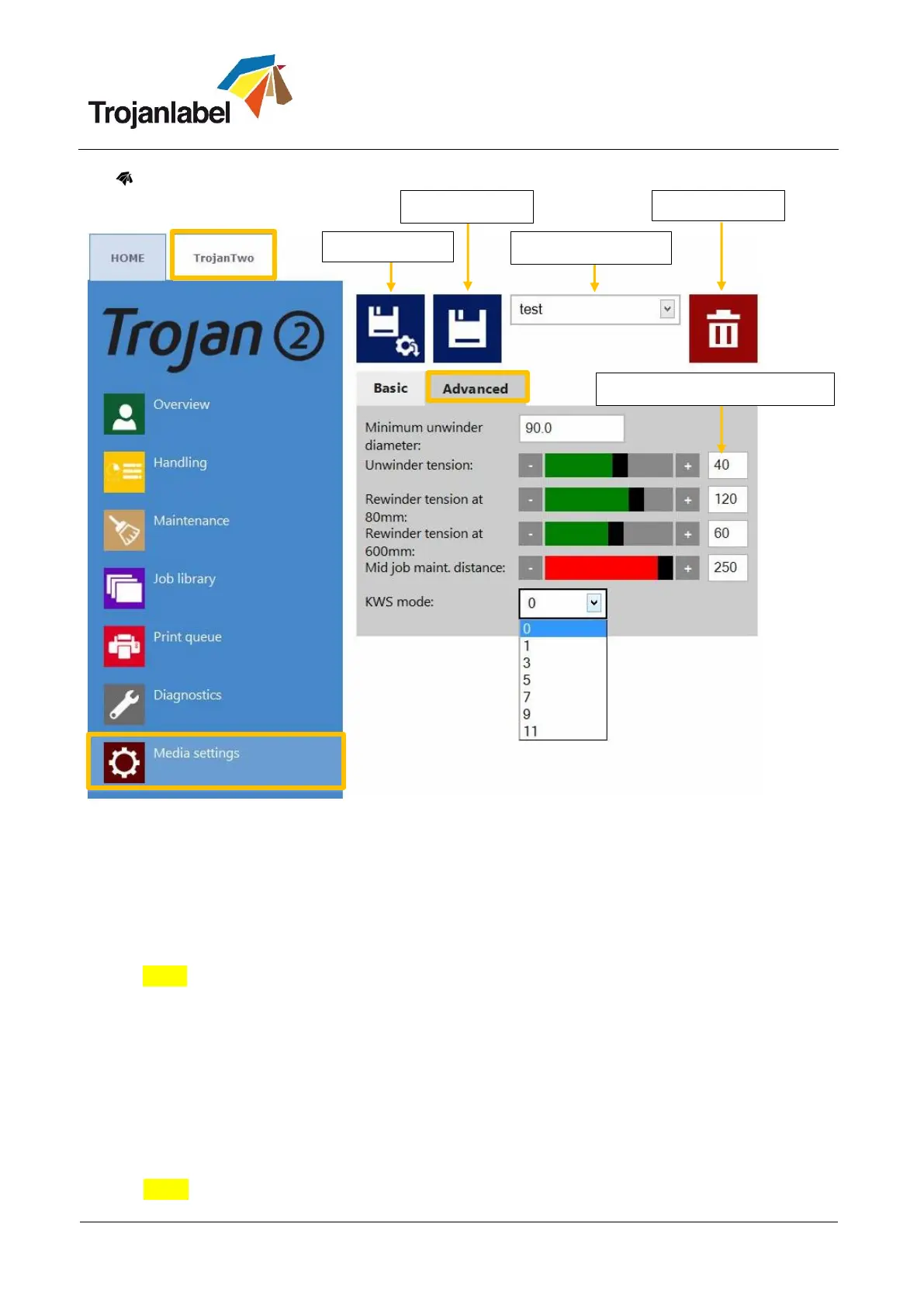
Media Settings Advanced:
KWS mode: KWS = Keep Wet Spitting
KWS is a function to protect the 70,400 printhead nozzles from dehydration. In practice it means
that during printing all the nozzles fire some ink, even the nozzles which do not take part effectively
in printing. As a result tiny (almost microscopic) dark spots of ink might be seen on printouts,
especially when the background of the printed image is light in color. When those tiny spots are not
acceptable from the print quality point of view, this function can be reduced or switched off
completely.
NOTE: See KWS levels on next page more detailed
Minimum unwinder diameter (mm): When roll diameter reaches the minimum unwinder diameter
value, the printing will be paused and new label roll can be loaded and spliced. This sensor setting
is to avoid running out from labels during a print job.
Unwinder tension: adjusting unwinder tension.
Rewinder tension at 80mm roll diameter: adjusting rewinder tension for the beginning of a roll up.
Rewinder tension at 600mm roll diameter: adjusting rewinder tension for the end of a roll up.
Mid job maint. Distance (meter): Setting mid-job maintenance frequency in printed linear meters.
Mid-job maintenance is a full printhead maintenance during processing a print job to preserve best
print quality.
NOTE: Actual value is always displayed at status bar on the screen
Recommended tension values



 To Next Page