TrojanTwo User Guide v3.8
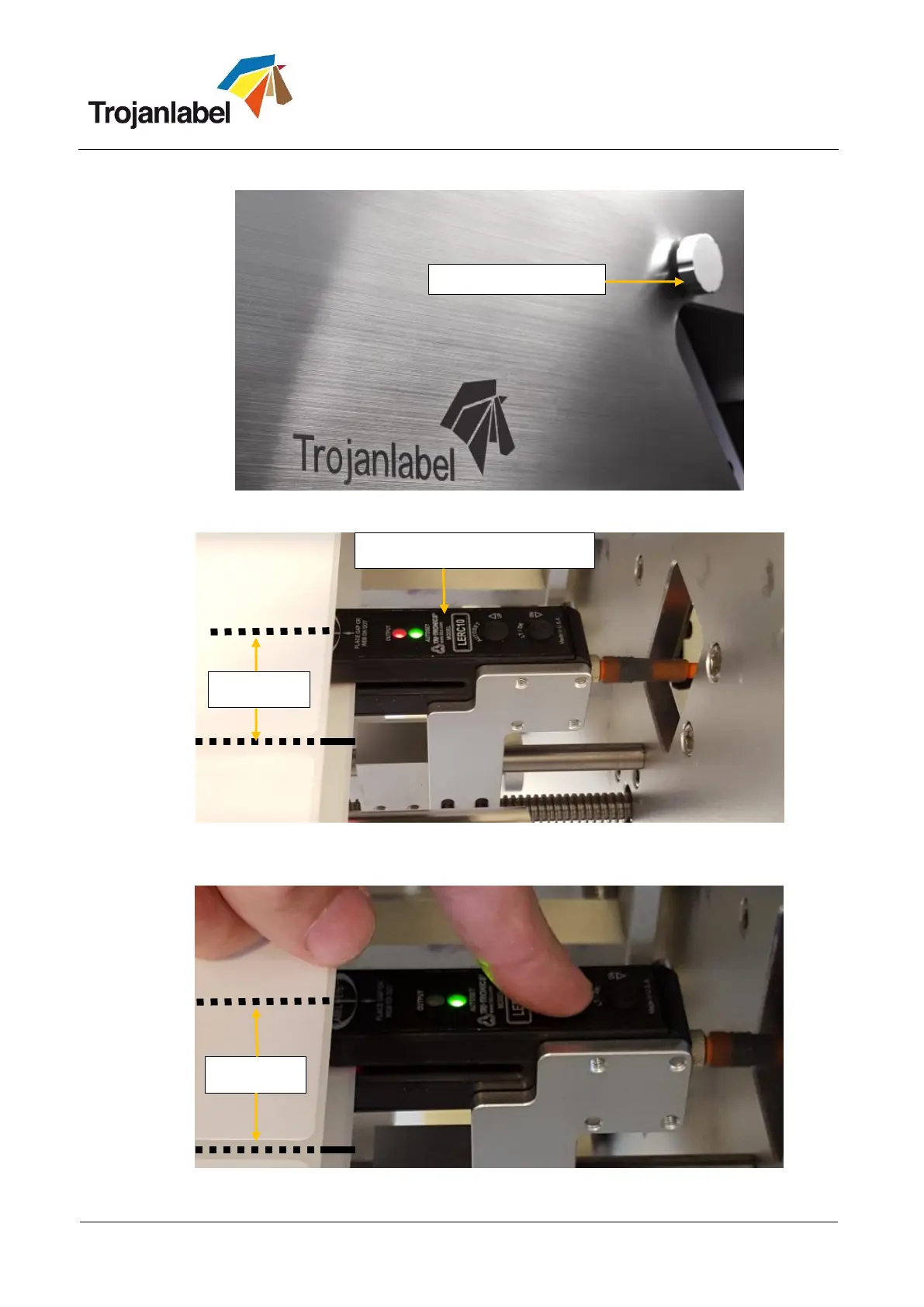
1. Use the wheel on the front to move the sensor over the label material
2. Move the sensor above a blackmark exactly where the sensor beam is to be able to teach the
sensor to recognize the density of the registration mark.
If blackmark is already recognized by the sensor then only the green LED will be lit.
Otherwise sensor needs to be calibrated to recognize the certain blackmark density.
3. Press and hold ‘Autoset’ button on Label gap /Blackmark sensor to calibrate sensor:
Sensor calibrated to recognize black registration mark.
Label gap / blackmark sensor



 To Next Page