TrojanTwo User Guide v3.8
Select ‘Use DHCP’ checkbox to acquire IP address for the TrojanTwo press from the local
network (as long as DHCP mode is selected TrojanTwo press ignores static IP settings).
Current IP address field displays the current IP address of the TrojanTwo on the local network.
Uncheck ’Use DHCP’ checkbox when local network policy recommends using static IP address.
‘Restart Trojan Control and Print Engine’ button is for re-initializing all Trojan Control interface.
NOTE: Use only if user interface becomes unresponsive to restart print engine and software.
Advanced tab: enables usage of Auto configuration scripts or Proxy Server wherever the local
network policy requires these for network/internet connection.
Every time when change a setting use the Save button to save the changes.
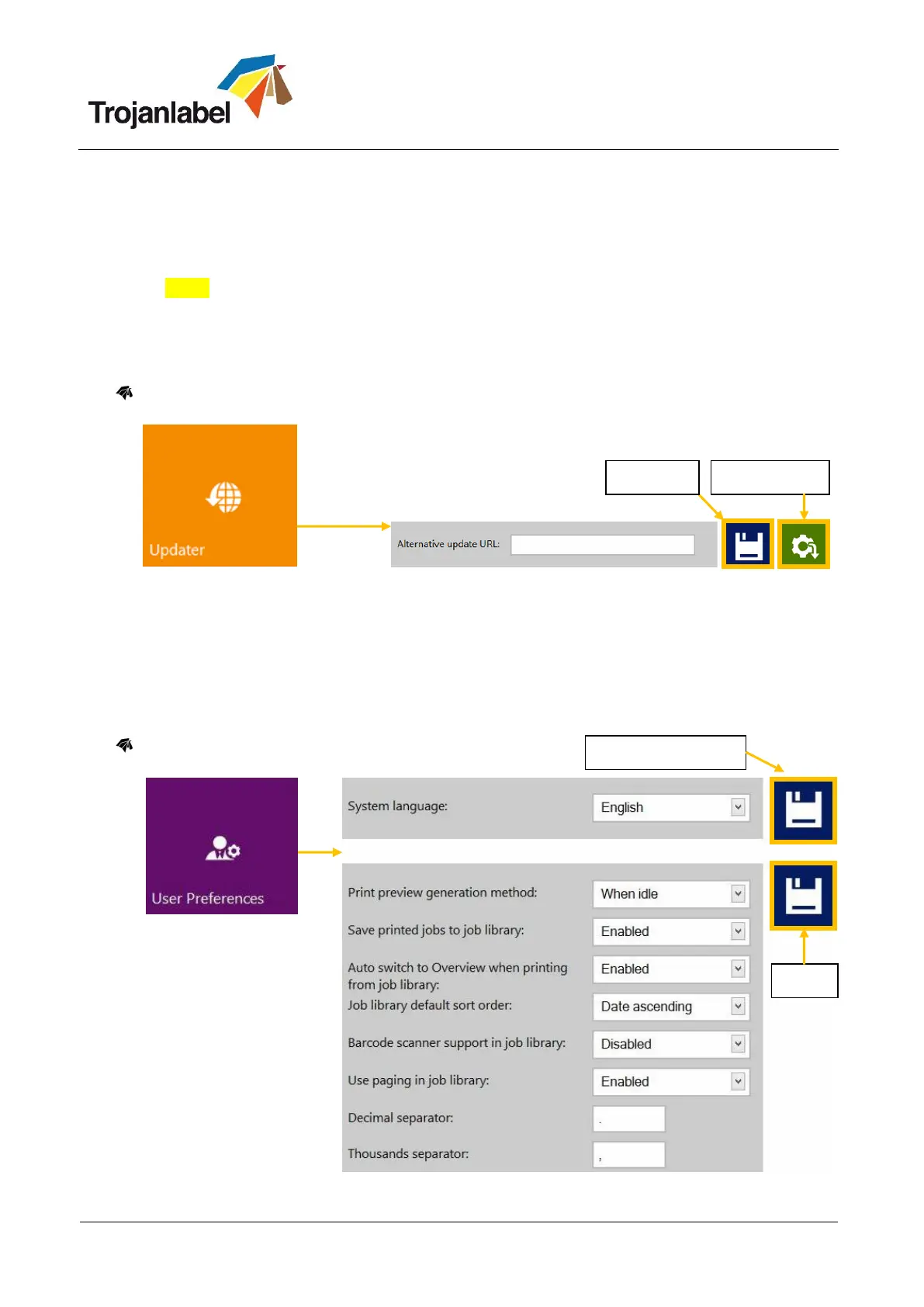
Updater Button
By default for system updates the ’Alternative update URL’ field has to be empty (see section 7
for update process via auto updater or via Alternative update URL for offline updating).
Press download button to download updates (each time when a new update is available a
newsletter is released by Trojanlabel).
Every time when change a setting use the Save button to save the changes.
User Preferences Button



 To Next Page