TrojanTwo User Guide v3.8
Release Web button
Releases tension on dancer arms so there is no tension generated by the web path system. Web
clamps on Unwinder and Rewinder side stay closed.
Calibrate Web button
Calibrates proper dancer arm tension for the label web.
NOTE: Printing only starts when web status is Ready (calibrated) in right status bar (Section 13.1)
Reload Web button
Releases dancer arms, web brakes and NIP roller so label web can be moved freely through the
paper path. Pressing Reload web button is necessary when changing rolls or splicing two rolls
together.
Reset Sidesteer Position button
Resets the unwinder core to the default horizontal position. This function is needed when a new
label roll is loaded to the unwinder core to align label edge and label edge sensor to the print
head’s left edge. (See section 4.4 for adjusting label roll on unwinder core)
NOTE: This function is only active when the web state is ‘Not Calibrated’, otherwise the button is
grey and cannot be pressed.
Move to Printhead button
Label web moves forward by 204cm (2040mm) from splicing station to printhead. The point is to
move the splice (where two label rolls are spliced together at splicing station) to the printing
position with a single button press.
Move to Rewinder button
Label web moves forward by 390cm (3900mm) from splicing station to the rewinder. The point is to
move the splice (where two label rolls are spliced together at splicing station) to the rewinder with
a single button press.
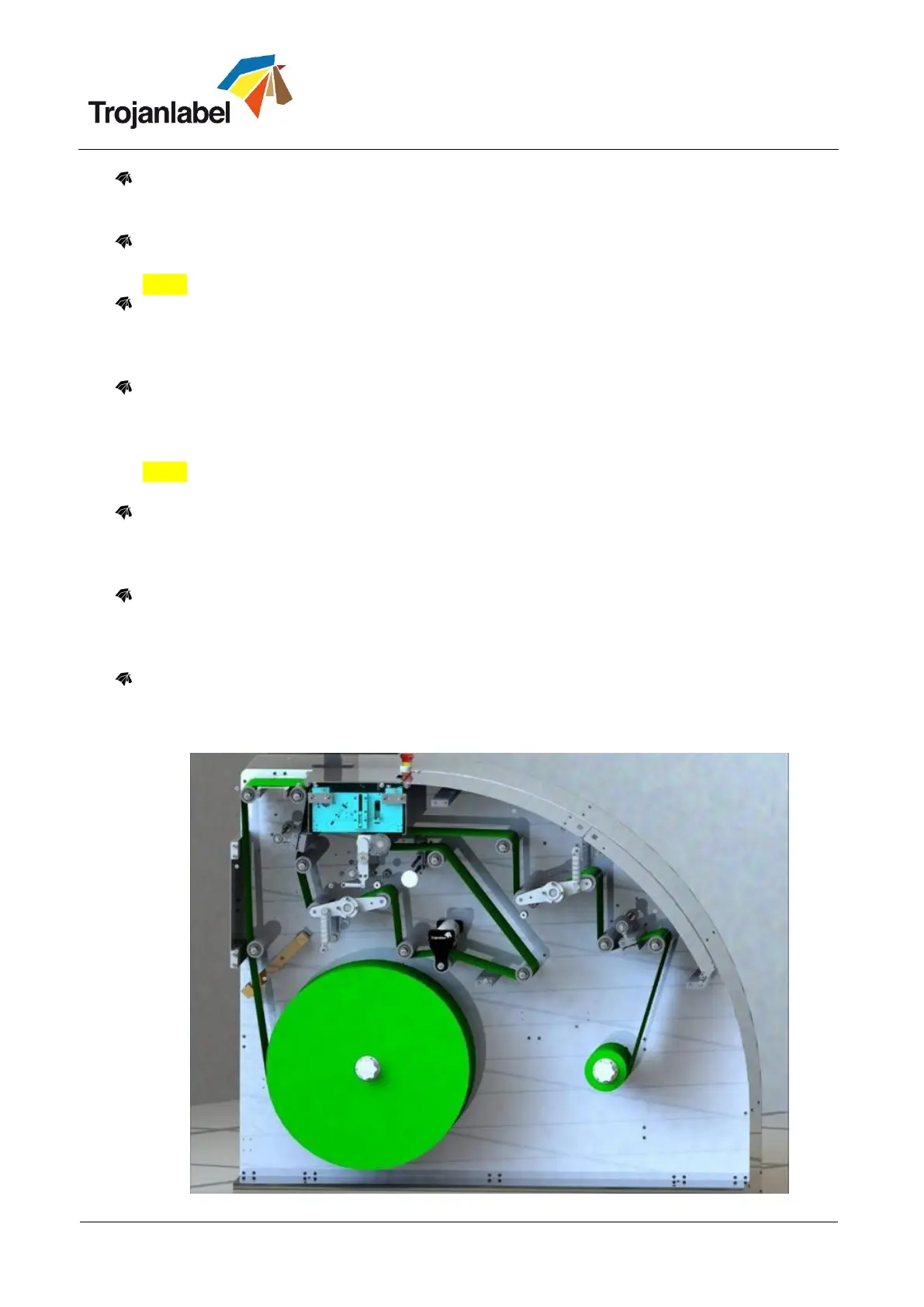
Show Media Path button
Pressing this button displays the drawing of how to thread the label material through the paper
path of the machine. Helping operators to properly load the label material.



 To Next Page