EasyManua.ls Logo

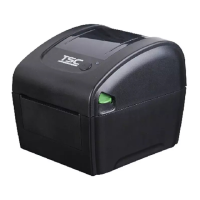
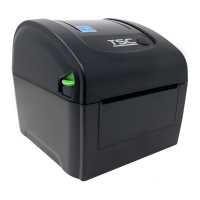
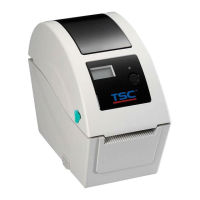
TSC DA220 Series - User Manual

TSC DA220 Series
49 pages
Print Icon
To Next Page IconTo Next Page
Loading...
USER’S
MANUAL
DA210/ DA310 Series
DA220/ DA320 Series
Direct Thermal Bar Code Printer

Other manuals for TSC DA220 Series

Questions and Answers

  • D
    Dr. Courtney StevensSep 9, 2025
    Why is the printing position of small label incorrect on my TSC Barcode Reader?
    • C
      Cameron HortonSep 9, 2025
      If the printing position of small labels is incorrect on your TSC Barcode Reader, recalibrate the media sensor sensitivity. Ensure the label size and gap size are set correctly. If using BarTender software, adjust the vertical offset in the driver settings.
  • F
    Francisco OrtegaSep 12, 2025
    What to do if the cutter is not working on my TSC Barcode Reader?
    • S
      Shelby EllisSep 12, 2025
      If your TSC Barcode Reader's cutter is not working, ensure the connector is correctly plugged in. Remove any label jams. If the issue persists, the cutter driver IC board might be damaged and need replacement.
  • P
    Pamela WangSep 13, 2025
    Why is the RTC time incorrect when I reboot my TSC Barcode Reader?
    • T
      thowellSep 13, 2025
      If the RTC time is incorrect after rebooting your TSC Barcode Reader, check if there is a battery on the main board.
  • T
    Troy FreemanSep 15, 2025
    Why is there missing printing on the left or right side of label on my TSC Barcode Reader?
    • R
      Robert PatelSep 15, 2025
      If your TSC Barcode Reader shows missing printing on the left or right side of the label, set the correct label size.
  • M
    melindagonzalezSep 18, 2025
    Why is there a gray line on the blank label from my TSC Barcode Reader?
    • S
      Samantha SmithSep 18, 2025
      To address a gray line on the blank label printed by your TSC Barcode Reader, clean the print head and the platen roller.

Summary

Print Specifications

Media Specifications

LED and Button Function

Loading the Media

Install the Adapter for 1.5 Paper Core

Power-on Utilities

Diagnostic Tool

Start the Diagnostic Tool

Guides on how to launch and access the TSC Diagnostic Utility software.

Printer Function

Details the various functions available within the Diagnostic Tool for printer configuration and management.

Setting Ethernet by Diagnostic Tool

Instructions for configuring the printer's Ethernet settings using the Diagnostic Tool.

Using USB interface to setup Ethernet interface

Steps to set up the Ethernet interface using a USB connection to the printer.

Using RS-232 interface to setup Ethernet interface

Steps to set up the Ethernet interface using an RS-232 serial connection to the printer.

Using Ethernet interface to setup Ethernet interface

Steps to set up the Ethernet interface directly via a network connection.

Troubleshooting

LED Status

Lists common printer problems based on LED status and provides recovery procedures.

Print Problem

Details common printing issues, their possible causes, and recommended solutions.

Maintenance

TSC DA220 Series Specifications

General IconGeneral
Resolution203 dpi / 300 dpi
Print SpeedUp to 152.4 mm (6”) per second
Print Width54 mm (2.12”)
Memory8 MB SDRAM
Processor32-bit RISC
InterfaceUSB
Operating Temperature-40°C to 60°C
Storage Temperature-40 ~ 60°C (-40 ~ 140°F)
Power Supply100-240V AC, 50/60 Hz

Related product manuals