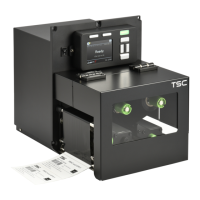
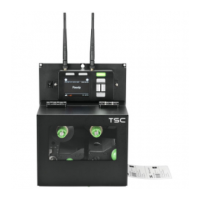
PEX-1000 Series
Print Engine Service Manual
32
Not Printing
* Cable is not well connected to serial or
USB interface or parallel port.
* The serial port cable pin configuration
is not pin to pin connected.
* Re-connect cable to interface.
* If using serial cable,
- Please replace the cable with pin to pin
connected.
- Check the baud rate setting. The default
baud rate setting of printer is 9600,n,8,1.
* If using the Ethernet cable,
- Check if the Ethernet RJ-45 connector
green LED is lit on..
- Check if the Ethernet RJ-45 connector
amber LED is blinking.
- Check if the printer gets the IP address
when using DHCP mode.
- Check if the IP address is correct when
using the static IP address.
- Wait a few seconds let the printer get the
communication
with the server then check
the IP address setting again.
* Chang a new cable.
* Ribbon and media are not compatible.
* Verify the ribbon-inked side.
* Reload the ribbon again.
* Clean the printhead.
* The print density setting is incorrect.
* Printhead’s harness connector is not well
connected with printheat. Turn off the printer
and plug the connector again.
* Check if the stepping motor is plugging in
the right connector.
* Check your program if there is a command
PRINT at the end of the file and there must
have CRLF at the end of each command
Memory full
( FLASH / DRAM )
* The space of FLASH/DRAM is full.
* Delete unused files in the FLASH/DRAM.
* The max. numbers of file of DRAM is 1024
files.
* The max. user addressable memory space
of DRAM is 8192 KB
* The max. user addressable memory space
SD card is unable to
use
* SD card doesn’t insert correctly.
* Use the non-approved SD card
* Use the supported capacity SD card.
* Insert the SD card again.
* The supported SD card spec are listed in


 To Next Page
 Loading...