EasyManua.ls Logo

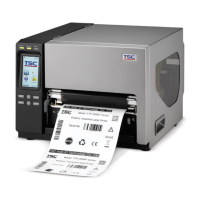
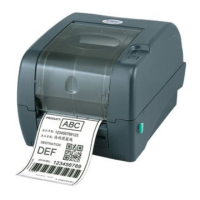
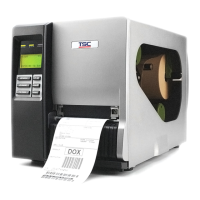
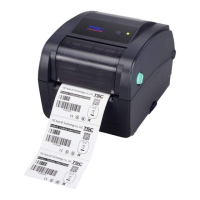
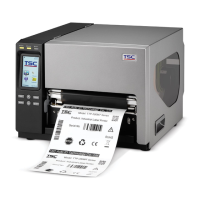
TSC TTP-286MT Series - User Manual

TSC TTP-286MT Series
63 pages
Print Icon
To Next Page IconTo Next Page
Loading...
USERS
MANUAL
TTP-286MT/ TTP-384MT Series
THERMAL TRANSFER / DIRECT THERMAL
BAR CODE PRINTER

Other manuals for TSC TTP-286MT Series

Questions and Answers

  • B
    Bill HeathSep 12, 2025
    How to troubleshoot if the power indicator does not illuminate on my TSC Barcode Reader?
    • A
      ashleyharrellSep 12, 2025
      If the power indicator on your TSC Barcode Reader does not illuminate, the power cord may not be properly connected. Plug the power cord into both the printer and the outlet, and then switch the printer on.
  • P
    Patrick WolfeAug 25, 2025
    How to fix a TSC TTP-286MT when the power indicator does not illuminate?
    • R
      Rebecca HaleAug 25, 2025
      If the power indicator on your TSC Printer doesn't light up, make sure the power cord is properly connected to both the printer and the outlet, and that the printer is switched on. Also, ensure the printer carriages are closed.
  • N
    Nicholas RodriguezAug 25, 2025
    What to do if my TSC TTP-286MT has a paper jam?
    • A
      Alexis GoodmanAug 26, 2025
      If your TSC Printer has a paper jam, the labels may be stuck inside the printer mechanism. Remove any stuck labels from inside the printer.
  • S
    silvarobinSep 23, 2025
    How to resolve wrinkle problem on my TSC Barcode Reader?
    • J
      jeremy14Sep 23, 2025
      To resolve wrinkle problems: * Make sure the label guide touches the edge of the media guide. * Ensure the label, paper core, and ribbon are set at the center of the spindle.
  • J
    Jerry JohnsonSep 12, 2025
    What to do if my TSC Barcode Reader displays 'No Ribbon'?
    • H
      hbrownSep 12, 2025
      If your TSC Barcode Reader displays a 'No Ribbon' message: * Supply a new ribbon roll. * Refer to the user’s manual for instructions to reinstall the ribbon correctly.
  • J
    John KramerSep 16, 2025
    How do I fix unstable label feeding (skew) on my TSC Barcode Reader?
    • A
      Ashley DanielsSep 16, 2025
      To fix unstable label feeding (skew) when printing: * If the label is moving to the right, move the label guide to the left. * If the label is moving to the left, move the label guide to the right, ensuring the media guide touches the edge of the media.
  • H
    Heather RobinsonSep 5, 2025
    Why is the RTC time incorrect on my TSC TTP-286MT after reboot?
    • K
      Karen GutierrezSep 5, 2025
      If the RTC time on your TSC Printer is incorrect after rebooting, the battery might have run down. Check if there is a battery on the main board.
  • C
    Clinton PerrySep 5, 2025
    Why is the LC panel dark on my TSC Printer, but the LEDs are lit?
    • B
      Bruce DixonSep 6, 2025
      If the LC panel on your TSC Printer is dark but the LEDs are lit, the printer initialization may have been unsuccessful. Turn the printer OFF and ON again and initialize the printer.
  • A
    aaron28Sep 17, 2025
    Why is the label feeding forward when the LCD panel is dark and LEDs are lit on my TSC Barcode Reader?
    • G
      gbradleySep 18, 2025
      If the LCD panel is dark, the LEDs are lit, and the label is feeding forward, the LCD panel harness connector might be loose or plugged in upside down.
  • J
    Jose BlackwellAug 30, 2025
    Why is the label feeding unstable on my TSC TTP-286MT Printer?
    • G
      Gabriela ShortAug 30, 2025
      If your TSC Printer is not feeding labels stably and they are skewed during printing, the media guide might not be touching the edge of the media. Adjust the media guide and then lock it in place.

TSC TTP-286MT Series Specifications

General IconGeneral
Print MethodThermal transfer / Direct thermal
Processor32-bit RISC
Max Print Speed5 inches per second
Resolution203 dpi
Memory8 MB Flash
InterfaceUSB, Serial, Parallel
Operating Temperature5°C to 40°C (41°F to 104°F)
Print LengthUp to 39 inches
Media TypeLabels, Tags, Tickets
Media Width0.5 to 4.5 inches
Media Thickness0.06 mm
Media Core Diameter25.4 mm (1 inch)

Related product manuals