Bluetooth Communication Link
Mobile phones have been found to lose connection to the
Uconnect Phone. When this happens, the connection can
generally be re-established by switching the mobile phone
OFF/ON. Your mobile phone is recommended to remain in
Bluetooth ON mode.
Power-Up
After switching the ignition key from OFF to either the ON
or ACC position, or after a language change, you must wait
at least 15 seconds prior to using the system.
General Information
This device complies with Part 15 of the FCC rules and RSS
210 of Industry Canada. Operation is subject to the follow-
ing conditions:
• Changes or modifications not expressly approved by the
party responsible for compliance could void the user’s
authority to operate the equipment.
• This device may not cause harmful interference.
• This device must accept any interference received, in-
cluding interference that may cause undesired opera-
tion.
NAVIGATION
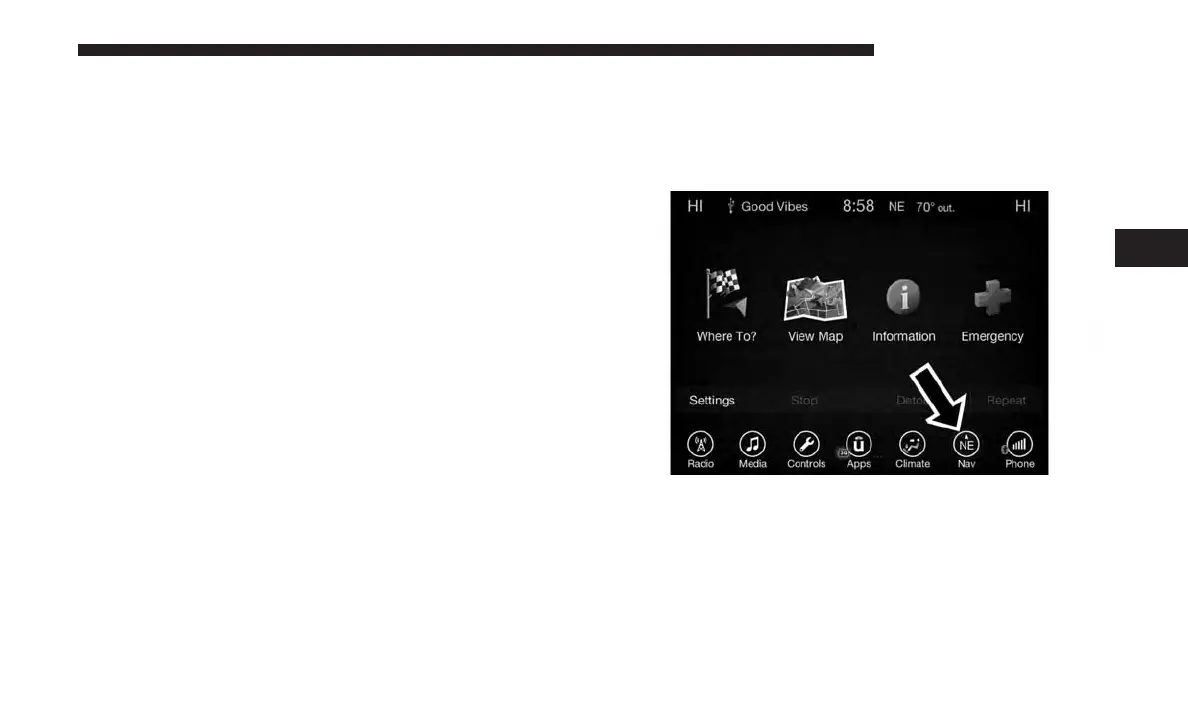
Main Menu
To access the Navigation system, press the ⬙Nav⬙ button on
the touchscreen.
• Press “Where To?” to find or route to a destination.
• Press “View Map” to view the map.
• Press “Information” to view Traffic, Where Am I? and
Trip Computer information.
4
UCONNECT 8.4/8.4 NAV 113



 To Next Page