To replace the batteries:
1. Locate the battery compartment on the back of the
remote, then slide the battery cover downward.
2. Remove the old batteries and follow battery recycling
procedures for your area.
3. Install new batteries, making sure to orient them accord-
ing to the polarity diagram shown inside the battery
compartment.
4. Replace the battery compartment cover.
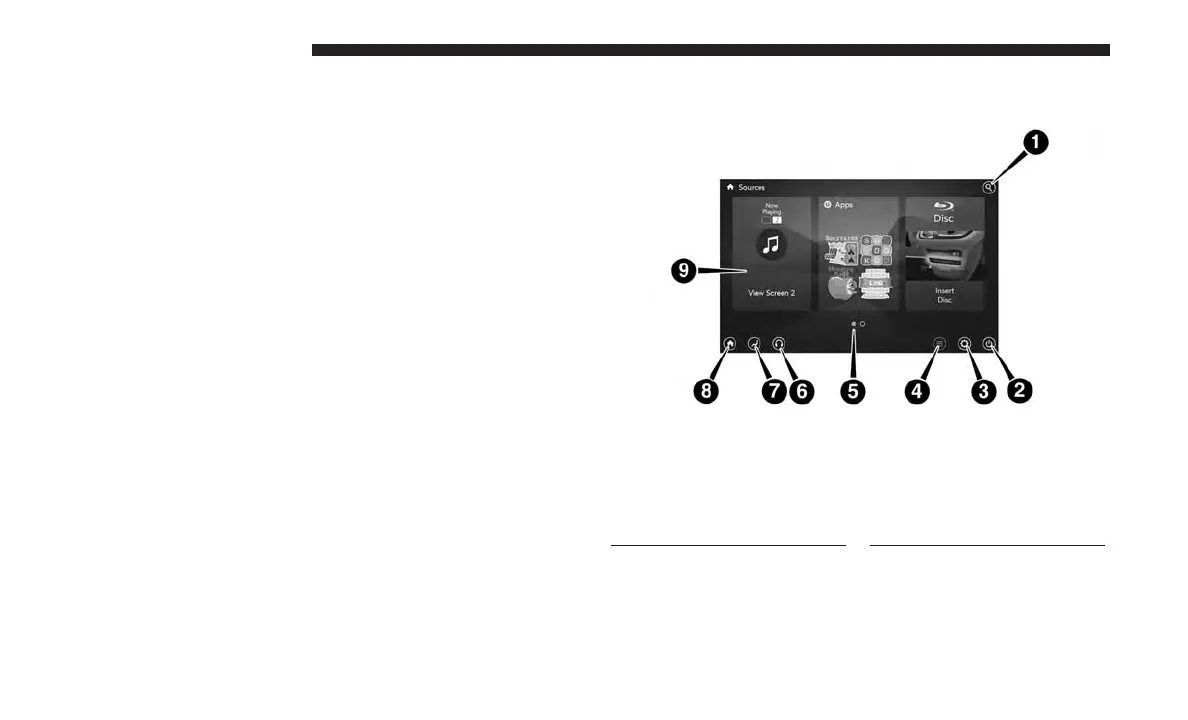
Uconnect Theater Home Screen And Controls
1 — Search Button (Media
Search)
2 — Power Button
3 — Settings Button
4 — Toggle Button List and Icon
View
5 — Source Card Page Indicator
1or2
6 — Wired Headphone Volume
7 — Climate Control Button
8 — Home Button
9 — Source Cards
166 UCONNECT 8.4/8.4 NAV



 To Next Page