Pairing The Remote
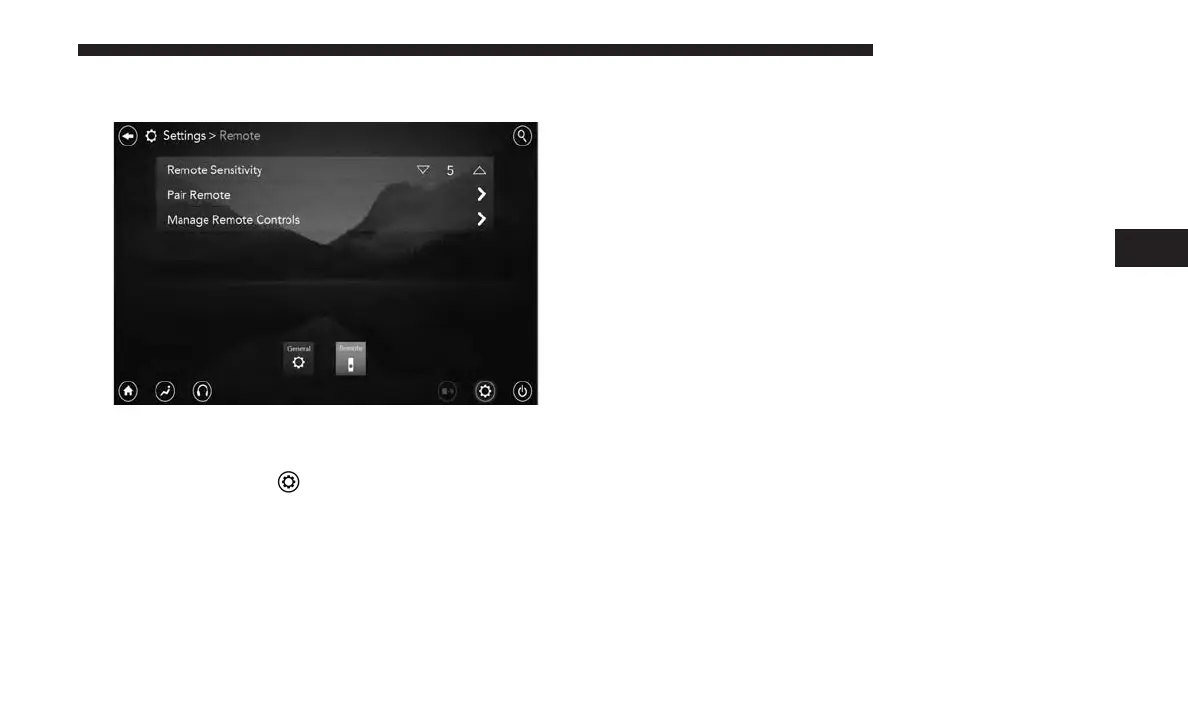
If the remote needs to be paired to your Uconnect Theater
system, follow the procedure below:
1. Press the “Settings”
icon on the touchscreen.
2. Press the “Remote” button on the touchscreen in the
settings menu.
3. Select “Pair Remote” and follow the on screen instruc-
tions to complete the pairing process.
NOTE:
• There will be a touchscreen notification message when
pairing is successful/unsuccessful. Repeat the above
steps to pair the second remote.
• Test to make sure the remote is successfully paired by
dragging your finger across the gesture pad. If you do
not see the on screen arrow, try using the “Screen”
button to switch between screen one and screen two to
make sure the remote is controlling the intended screen.
• If remote is ever non-operational, try pairing remote.
• The system can accommodate up to 10 paired remote
controls.
Replacing The Remote Control Batteries
Each remote control requires two AAA batteries for opera-
tion.
NOTE: Perchlorate Material — special handling may ap-
ply. Visit
dtsc.ca.gov/hazardouswaste/perchlorate
4
UCONNECT 8.4/8.4 NAV 165



 To Next Page