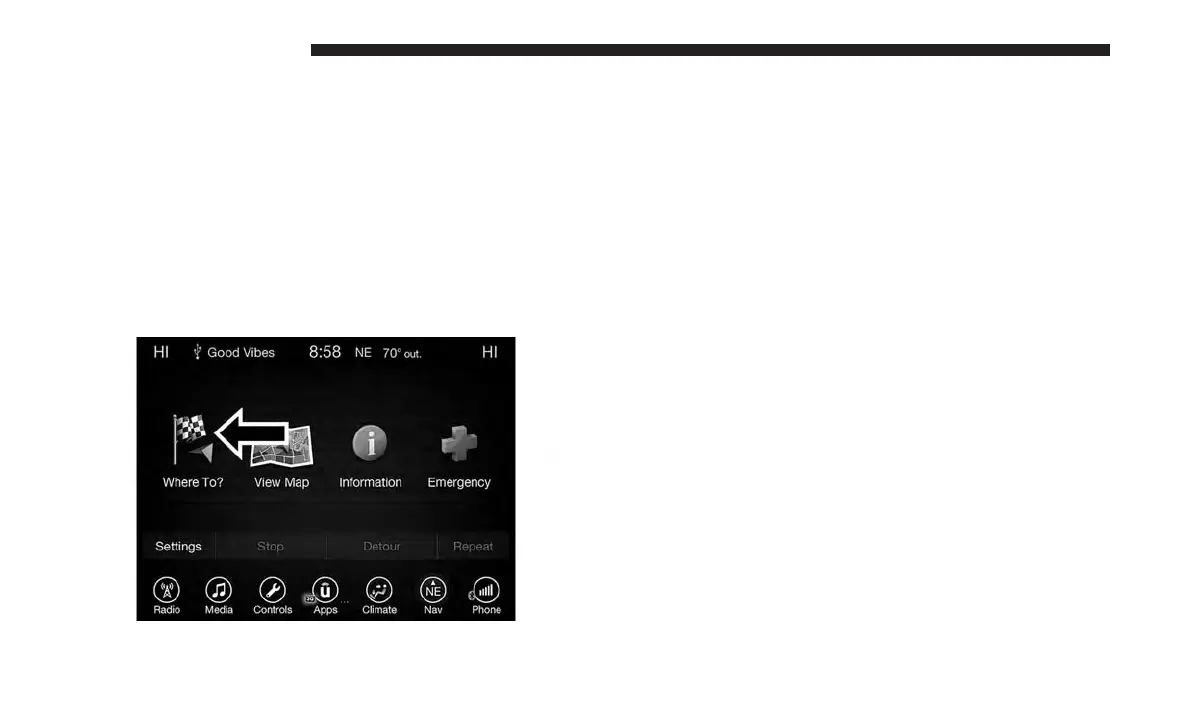
• Press “Emergency” to search for Hospitals, Police and
Fire Stations near your current location. You can also
display your current location and save any Emergency
facility location to your Favorites.
• Press “Stop” to stop a route.
• Press “Detour” to detour a route.
Where To?
Where To? — Main Menu
From the Nav Main Menu, press the “Where To?” button
on the touchscreen and select one of the following methods
to program a route guidance.
NOTE: Refer to the individual section of the chosen option
for further information.
Address
Press this button on the touchscreen to search by a street
address or a street name with house number.
Recent
Press this button on the touchscreen to access previously
routed addresses or locations.
Point of Interest
Press this button on the touchscreen when you want to
route to a point of interest. The Point of Interest (POI)
database allows you to select a destination from a list of
locations and public places, or points of interest.
Favorites
Press this button on the touchscreen to access previously
saved addresses or locations.
114 UCONNECT 8.4/8.4 NAV



 To Next Page