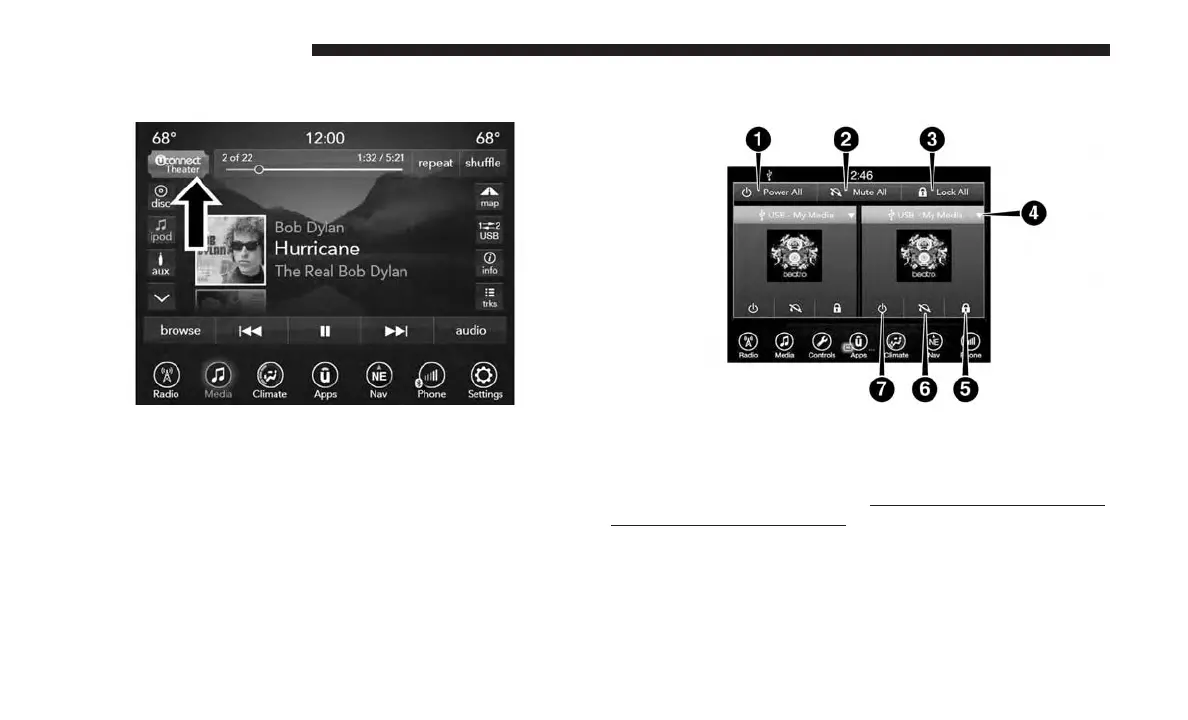
Accessing The System From The Uconnect Radio
You can access your Uconnect Theater system from the
radio touchscreen following the steps below:
1. Press the “Media” button.
2. Press the “Uconnect Theater” button icon.
Uconnect Theater Controls
Parents can control certain features of the system with the
“Uconnect Theater Controls” screens, right from the
Uconnect touchscreen radio. Options are:
• Change media sources
1 — Power All
2 — Mute All
3 — Lock All
4 — Source Drop Down List
5 — Lock On/Off current screen
6 — Mute On/Off current
screen
7 — Power On/Off current
screen
160 UCONNECT 8.4/8.4 NAV



 To Next Page