Tracks
Press the “trks” button on the touchscreen to display a pop
up with the Song List. The currently playing song is
indicated by an arrow and lines above and below the song
title. When in the Tracks List screen you can rotate the
TUNE/SCROLL knob to highlight a track (indicated by the
line above and below the track name) and then push the
ENTER/BROWSE knob to start playing that track.
Pressing the “trks” button on the touchscreen while the
pop up is displayed will close the pop up.
Audio
Refer to Radio Mode for adjusting the audio settings.
Bluetooth Mode
Overview
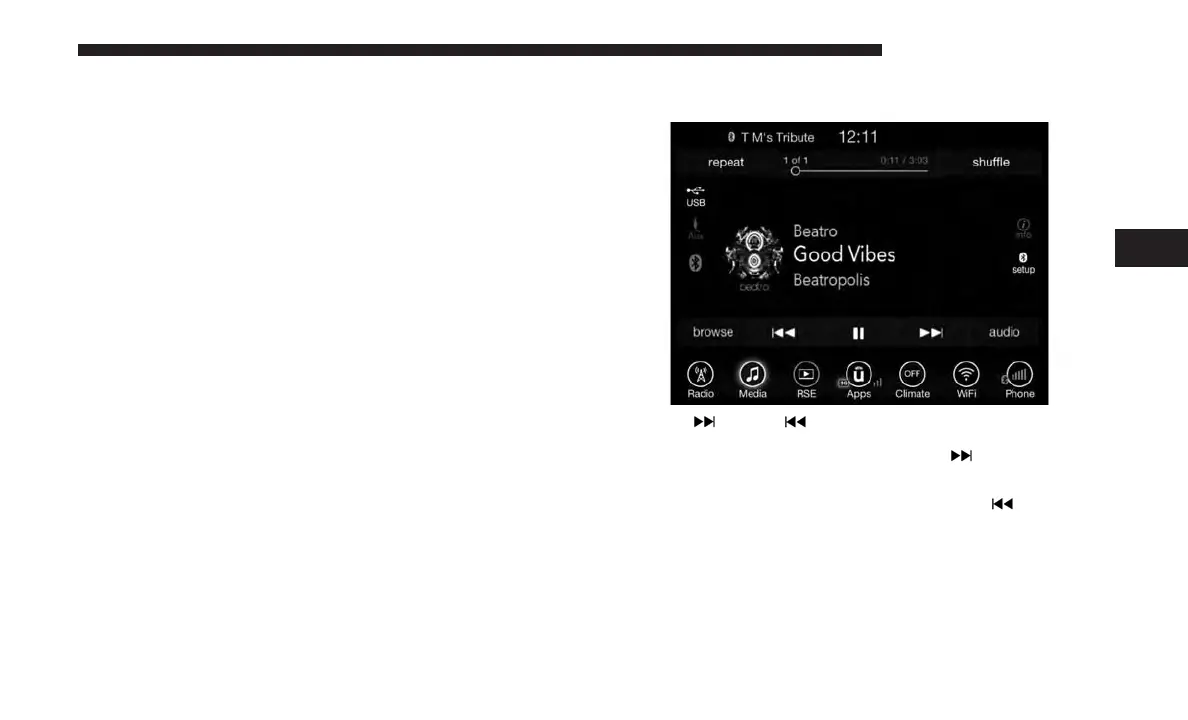
Bluetooth Streaming Audio (BTSA) or Bluetooth Mode is
entered by pairing a Bluetooth device, containing music, to
the Uconnect System.
Before proceeding, the Bluetooth device must be paired to
the Uconnect Phone to communicate with the Uconnect
System.
NOTE: See the pairing procedure in the Uconnect Phone
section for more details.
To access Bluetooth mode, press the “Bluetooth” button on
the left side of the display.
Seek Up
/Down
Press and release the “Right Arrow”
button on the
touchscreen for the next selection on the Bluetooth
device. Press and release the “Left Arrow”
button on
the touchscreen to return to the beginning of the current
selection, or return to the beginning of the previous
selection if the Bluetooth device is within the first
second of the current selection.
4
UCONNECT 8.4/8.4 NAV 93



 To Next Page