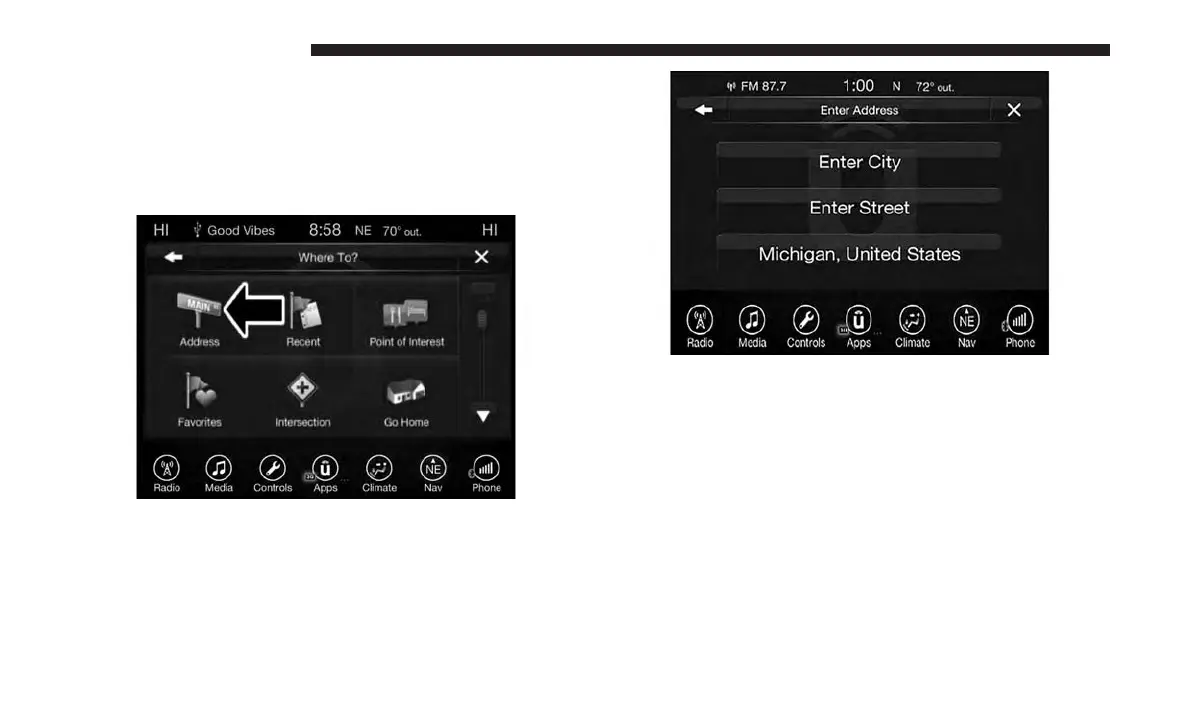
Where To? — Address
To enter a destination by Address, follow these steps:
1. While in the Nav Main Menu, press the “Where To?”
button on the touchscreen, then press the “Address”
button on the touchscreen.
2. Press “Enter City” or “Enter Street” to begin entering
the address of your destination.
If you press “Enter City,” you will have to enter and
select/press the desired city name, followed by the
desired street name then the house number.
If you press “Enter Street,” you will have to enter and
select/press the desired street name in the correct city
and then you will have to enter the house number.
To change the state and/or country, press the “state,
country” button on the touchscreen and follow the
prompts to change the state and/or country.
116 UCONNECT 8.4/8.4 NAV



 To Next Page