Change/Delete Your Home Address
To change or delete your current Home Address perform
the following:
1. Press the “Go Home” button in the Where To? Menu.
2. Press the “Options” button at the bottom of the dis-
played map.
3. Press “Clear Home” and then press “Yes” to clear/
delete your Home Address.
4. To enter in a new Home Address, follow the Where To?
– Go Home procedure.
NOTE: You can press the “back arrow” button on the
touchscreen to return to the previous screen or the “X”
button on the touchscreen to exit.
Where To? — Trips
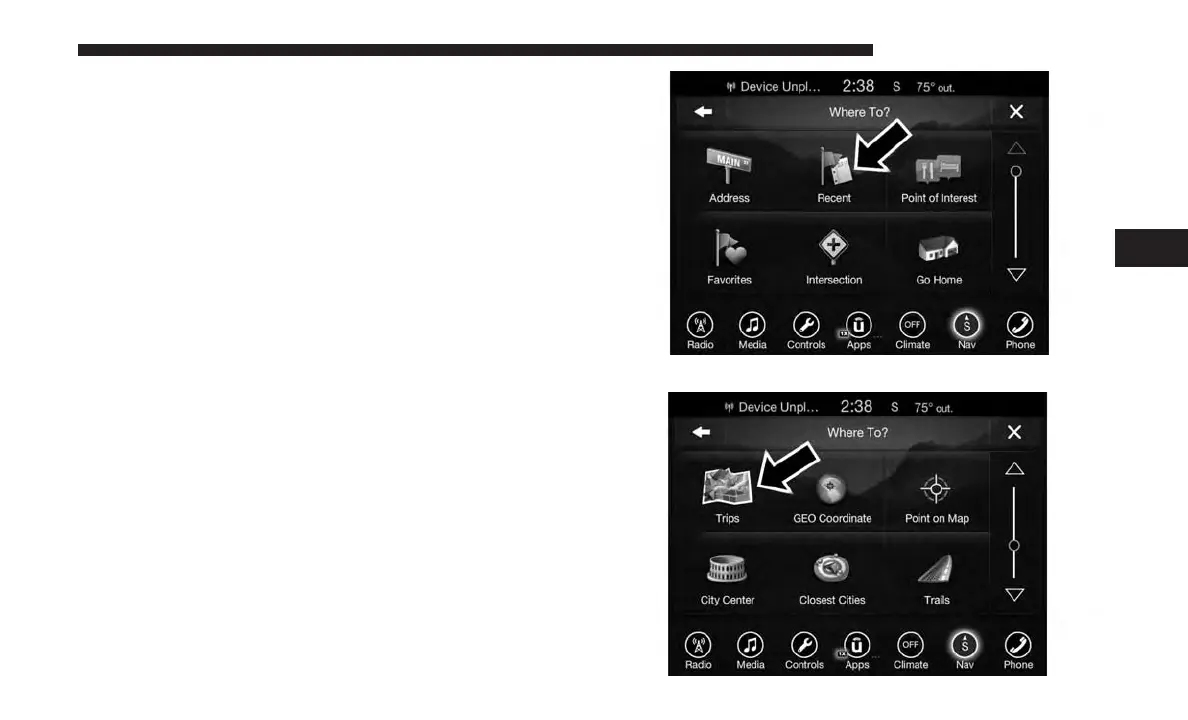
To route to a saved Trip, follow these steps:
1. While in the Nav Main Menu, press the “Where To?”
button on the touchscreen then press the “Recent”
button on the touchscreen.
2. Press the “Trips” button on the touchscreen.
4
UCONNECT 8.4/8.4 NAV 133



 To Next Page