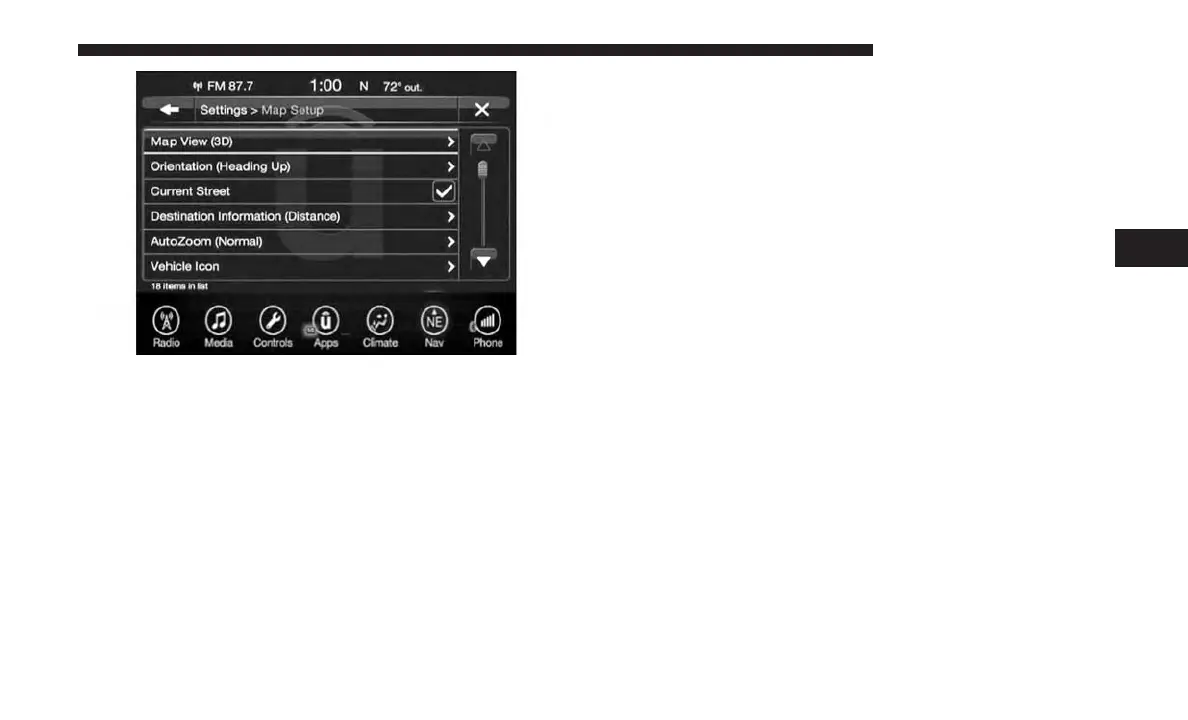
The following Map Setup options are available:
Map View
Press this button on the touchscreen to change how the
Map View is displayed. Press the desired button on the
touchscreen.
• 3D (3D Map View Is Only Available On Uconnect 8.4
NAV. Must Select 3D City Models Or 3D Landmarks For
3D Map View To Display.)
• 2D
Orientation
Press this button on the touchscreen to change how the
Map Orientation is displayed. Press the desired button on
the touchscreen.
• North Up
• Heading Up
Current Street
Press this button on the touchscreen to turn on/off the
current street display on the lower center of the Map View.
Press and release the button on the touchscreen until a
check-mark appears, showing the setting has been selected.
Destination Information
Press this button on the touchscreen to change the Desti-
nation Information that is displayed in the upper right
corner of the Map View. Press the desired button on the
touchscreen.
• Time of Arrival
• Time to Destination
• Distance
4
UCONNECT 8.4/8.4 NAV 147



 To Next Page