NOTE: Voice Texting through Uconnect Access is available
for Android phones only. iPhone texting is supported with
Siri and does not require a Uconnect Access subscription.
Before you drive, familiarize yourself with the easy-to-use
Uconnect System.
1. The ASSIST And 9-1-1 Buttons On Your Rearview
Mirror
The ASSIST Button is used for contacting Roadside
Assistance, Vehicle Care and Uconnect Care. The 9-1-1
button connects you directly to emergency services.
2. The Uconnect “Apps” Button On The Menu Bar Of
The In-Vehicle Touchscreen
This is where you can begin registration for Uconnect
Access, find the Apps and purchase 3G Wi-Fi Hotspot
on demand.
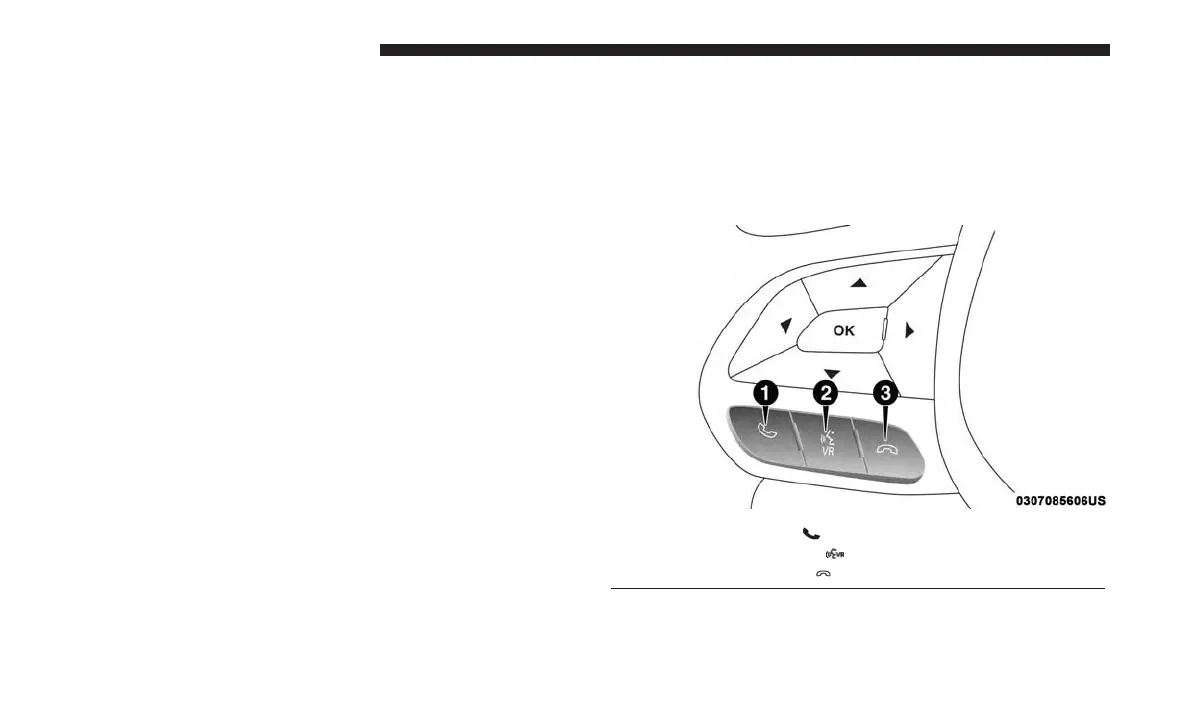
3. The Uconnect Voice Command And Uconnect Phone
Buttons On Your Steering Wheel
The buttons let you use your voice to give commands,
make phone calls, send and receive text messages
hands-free, enter navigation destinations and control
your radio and media devices.
1 — Phone Pick up Button
2 — Voice Recognition Button
3 — Phone Hang Up Button
14 ALL ABOUT UCONNECT ACCESS



 To Next Page