Description
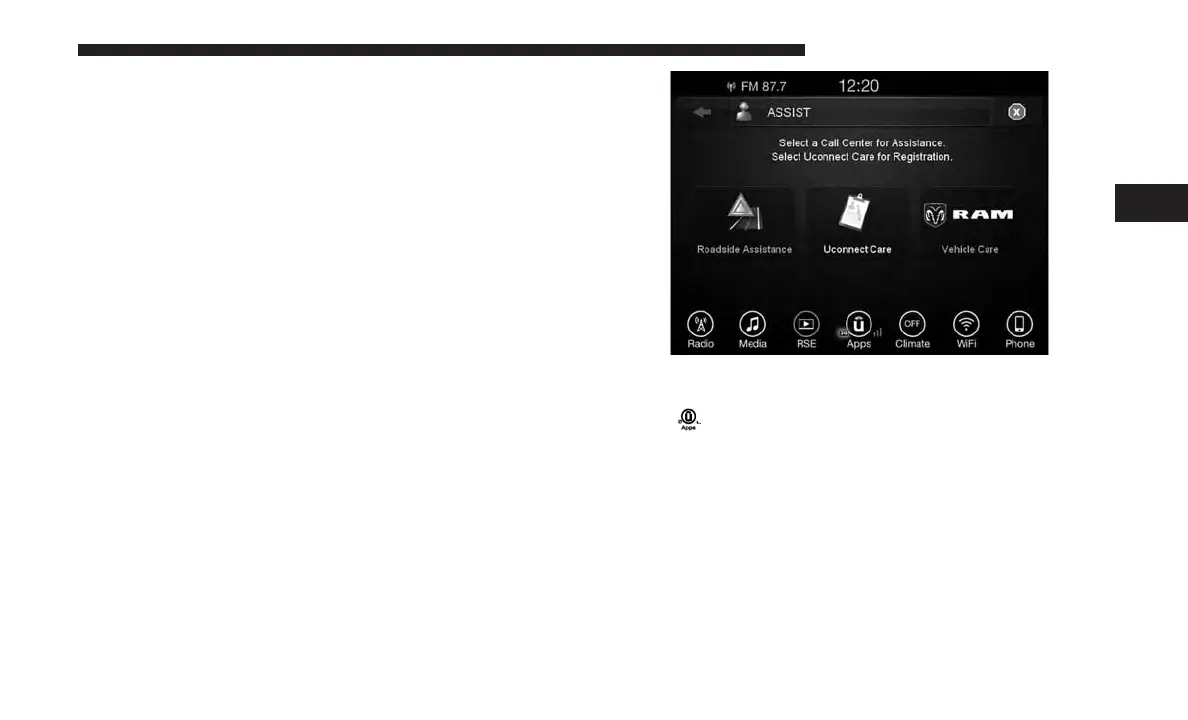
Vehicles equipped with the Uconnect Access system fea-
ture will contain an ASSIST button on the rear view mirror.
Once the vehicle has been registered and is subscribed to
the Advantage Package, the ASSIST button can connect
you directly to one of three important care centers for
support.
• Roadside Assistance — If you get a flat tire, or need a
tow, you’ll be connected to someone who can help
anytime. Additional fees may apply. (See the Disclaim-
ers section below for more detail).
• Uconnect Care — In vehicle support for Uconnect
Access System, Apps, and Features.
• Vehicle Care — Total support for your vehicle.
How It Works
You or someone in the vehicle simply presses the ASSIST
button located on the rear view mirror and you will be
presented with your ASSIST options. Make your selection
by pressing the touchscreen.
NOTE: The signal strength bars on the “Apps ” button on
the touchscreen will show a single bar and a prohibition
symbol
to indicate your vehicle is not connected to an
operable 1X (voice/data) or 3G (data) network.
Requirements
• This feature is available only on vehicles sold in the U.S.
• Vehicle must be properly equipped with the Uconnect
Access System.
• Vehicle must have an operable 1X (voice/data) or 3G
(data) network connection.
3
ALL ABOUT UCONNECT ACCESS 27



 To Next Page