22 ULEAD DVD MOVIEFACTORY USER GUIDE
Setting the field order
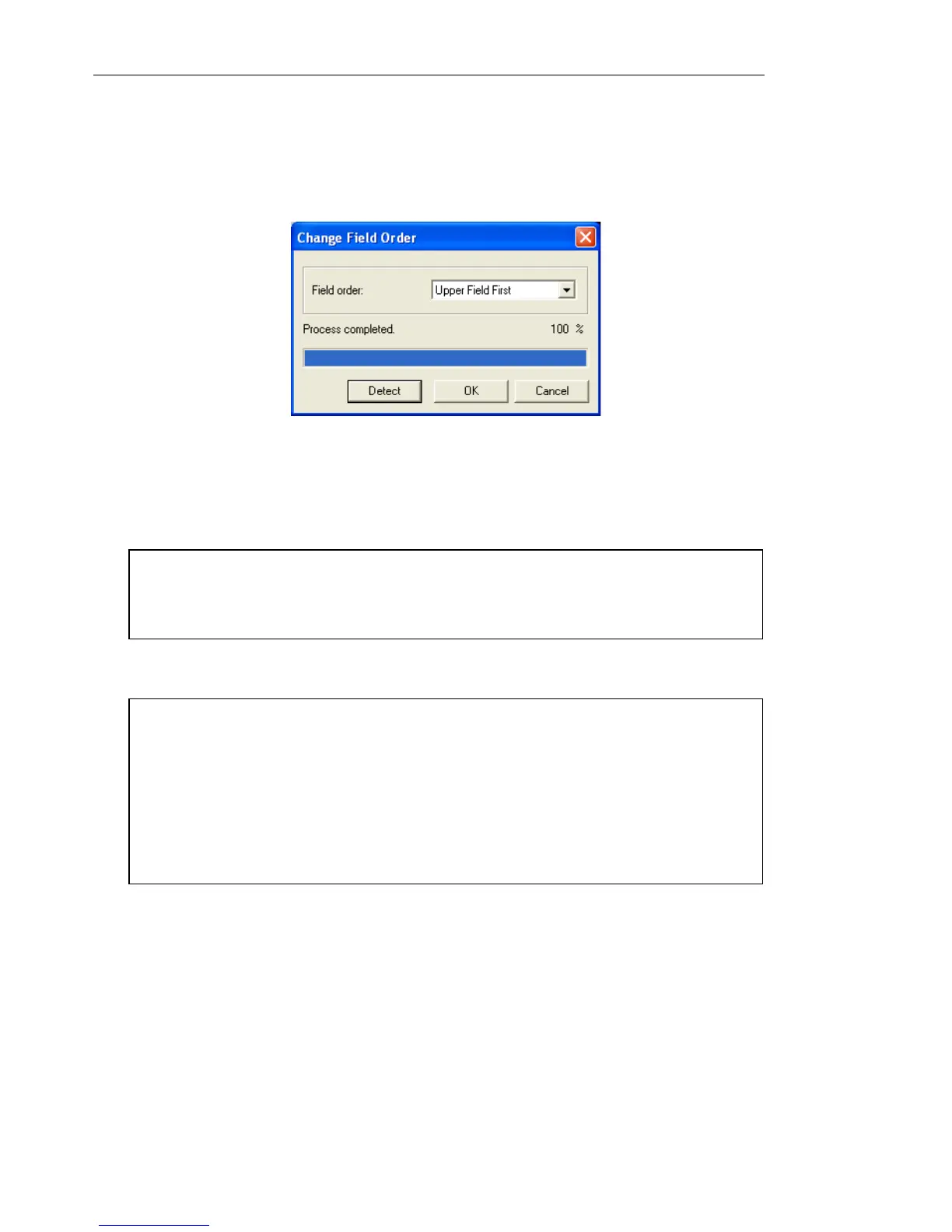
You can set the field order to use for capturing video through the
Change Field Order dialog box.
To set the field order:
1. Click Advance Settings: Change Field Order.
2. Select whether to use Upper Field First or Lower Field First.
3. Click OK.
To capture video via an analog capture card:
1. Connect your video source device to your capture card. On some
cards, you may also need to connect the audio cables. For S-
video, please remember to connect the audio cable properly
since S-video only transfers video signals.
2. In the Add/Edit Media page, click Capture Video.
Tip: Click Detect if you are not sure which field order to use or
when the captured video is flickering or when there is noise on
motion video.
Notes:
• For users who are familiar with the older versions of this product,
the previous option “Field order A” is now “Lower Field First” and
“Field order B” is now “Upper Field First”.
• To avoid screen flickering while watching your captured video on
TV, set the field order setting the same as the one used by your
analog capture card.



 To Next Page