42 ULEAD DVD MOVIEFACTORY USER GUIDE
Setup menus
Create main menus and submenus in this step. These menus allow
the viewers to instantly access specific portions of your video. DVD
MovieFactory offers a set of menu templates to best fit the purpose
of each menu. Custom-made menus are also easily created.
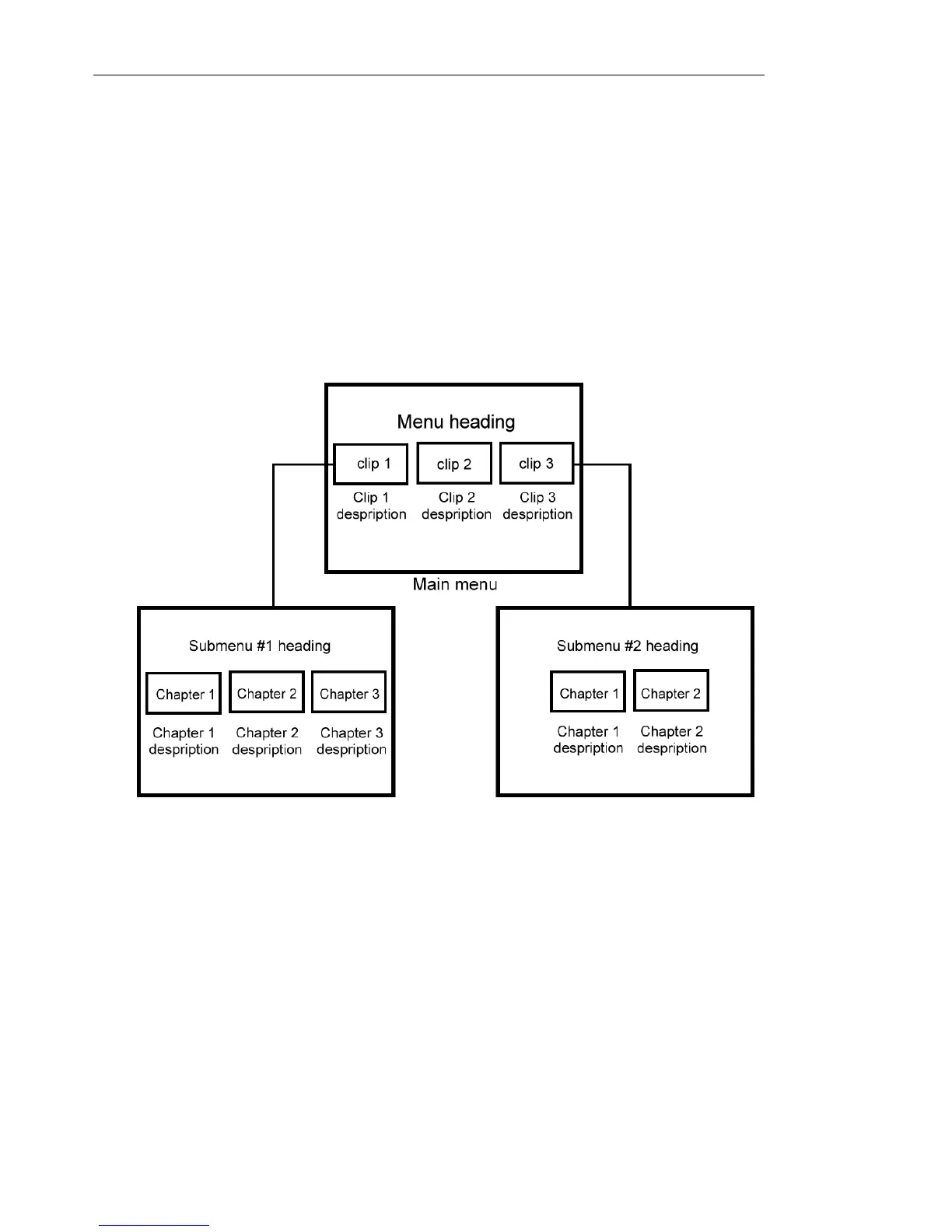
See the illustration below to better understand the DVD/SVCD/VCD
menu structure.
In this example, Clip 1 has three chapters so when you click the
Clip 1 video thumbnail, it will jump to submenu #1. If you look at
Clip 2, it has no chapters assigned to it. Therefore, there is no
submenu for Clip 2.



 To Next Page