52 ULEAD DVD MOVIEFACTORY USER GUIDE
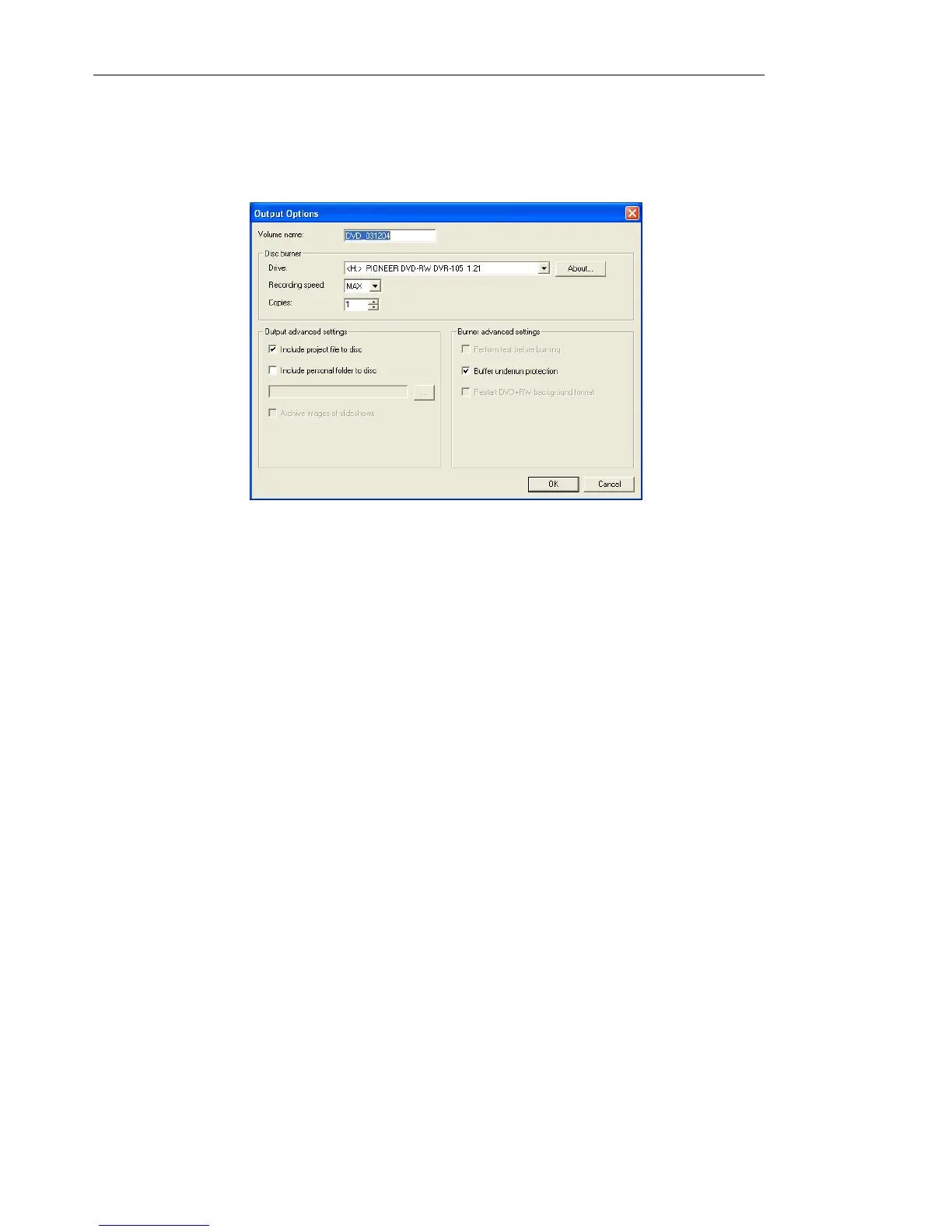
The Output Options dialog box
The various options in the Output Options dialog box determine
how your discs are burned.
• Volume name Enter a volume name of up to 32 characters onto
the CD/DVD.
• Disc burner Specify the settings for your burning device.
• Drive Select the disc burner that you want to use to burn the
video file.
• Recording speed Select the recording speed that you want
to use to burn the video file.
• Copies Set the number of disc copies to burn.
• Output advanced settings Choose additional items that you
want to include on the disc.
• Include project file to disc Select to include the DVD
MovieFactory project file that you created on the disc for later
use.
• Include personal folder to disc Select to include any other
folders on the disc.
• Archive images of slideshows Select to include images
used in your slideshows on the disc.
• Burner advanced settings Click to adjust more disc burning
settings.



 To Next Page