67
3.8 Preliminary Operation (Setting of Utilities)
Setting of secondary utilities (pump side) should be done after starting the pump.
- The maximum exhaust pressure is 0.10 MPa (absolute
pressure). In excess of this, the seal members may be damaged
or overheated, resulting in trouble. Installation of a pressure
gauge that can monitor the exhaust pressure is recommended.
- Always use the pump with the check valve installed.
Otherwise, exhaust-side gas may back-stream abruptly when
the pump is stopped and may damage the drive control system
of the pump.
- Before starting the pump, check the primary utility setting.
Until all the utility setting is fulfilled, the pump cannot start
because the safety circuit activates.
- If valve is fixed at the downstream of the outlet port, then
check the valve is opened.
Start the pump
3.8.1 Setting of Nitrogen Gas Pressure
Open the valve on the supply side to apply nitrogen gas pressure.
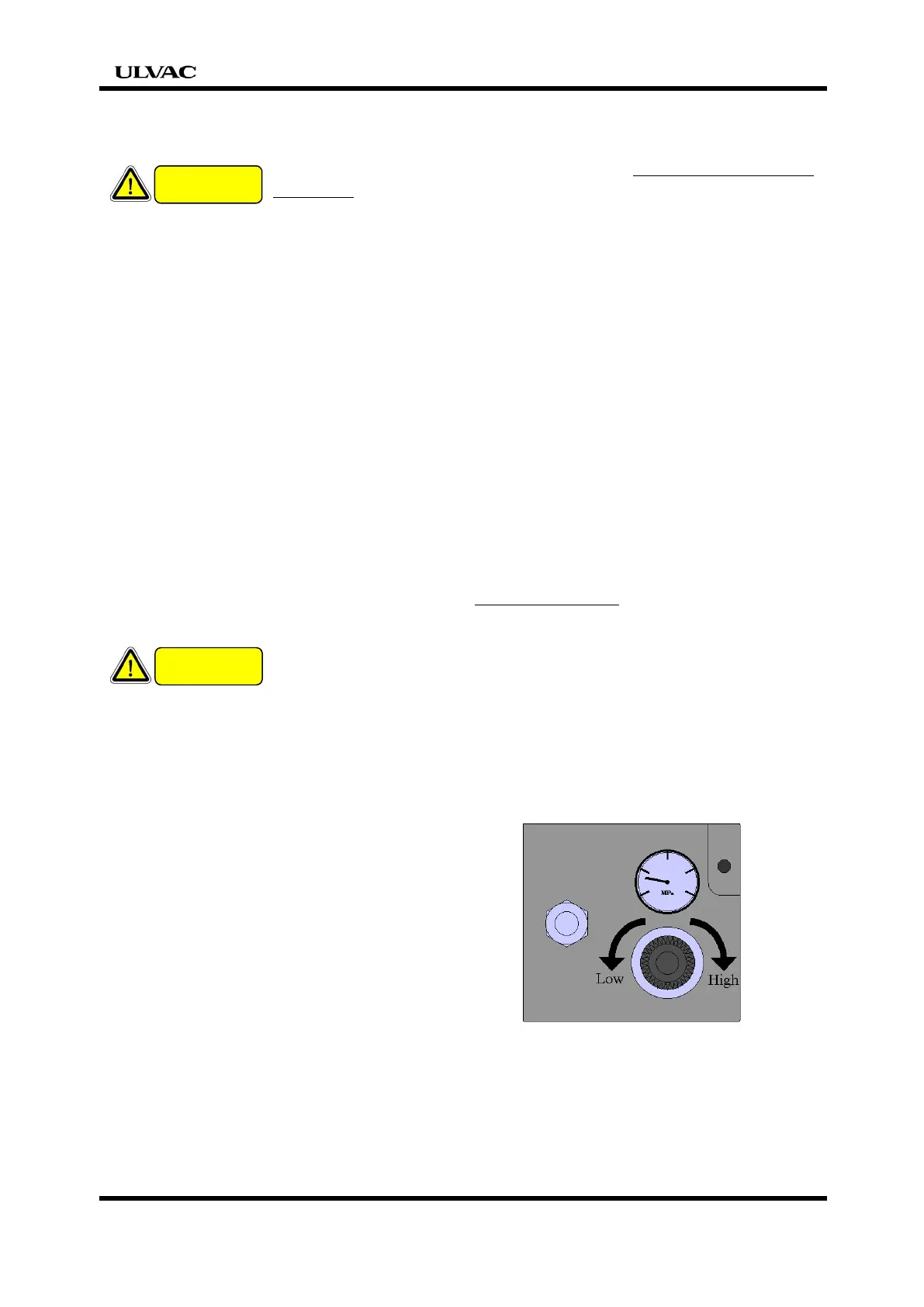
The regulator is factory locked. Pull the knob until it clicks to unlock it and
regulate the pressure on the pump side to 0.05 to 0.10 MPa (gauge pressure).
If pressure is increased to above 0.9 MPa, the solenoid valve in
the pump will be disabled. Regulate the flow rate after the
pump has started. Refer to 『1.2 Specifications for utilities』
for the flow rate and pressure setting conditions.
Nitrogen gas pressure varies with consumption. Re-regulate the secondary
pressure to the specified value of 0.05 – 0.10MPa after regulate it for consumption.
CAUTION
CAUTION


 To Next Page