Chapter 5 Startup, Shutdown, and Maintenance
55
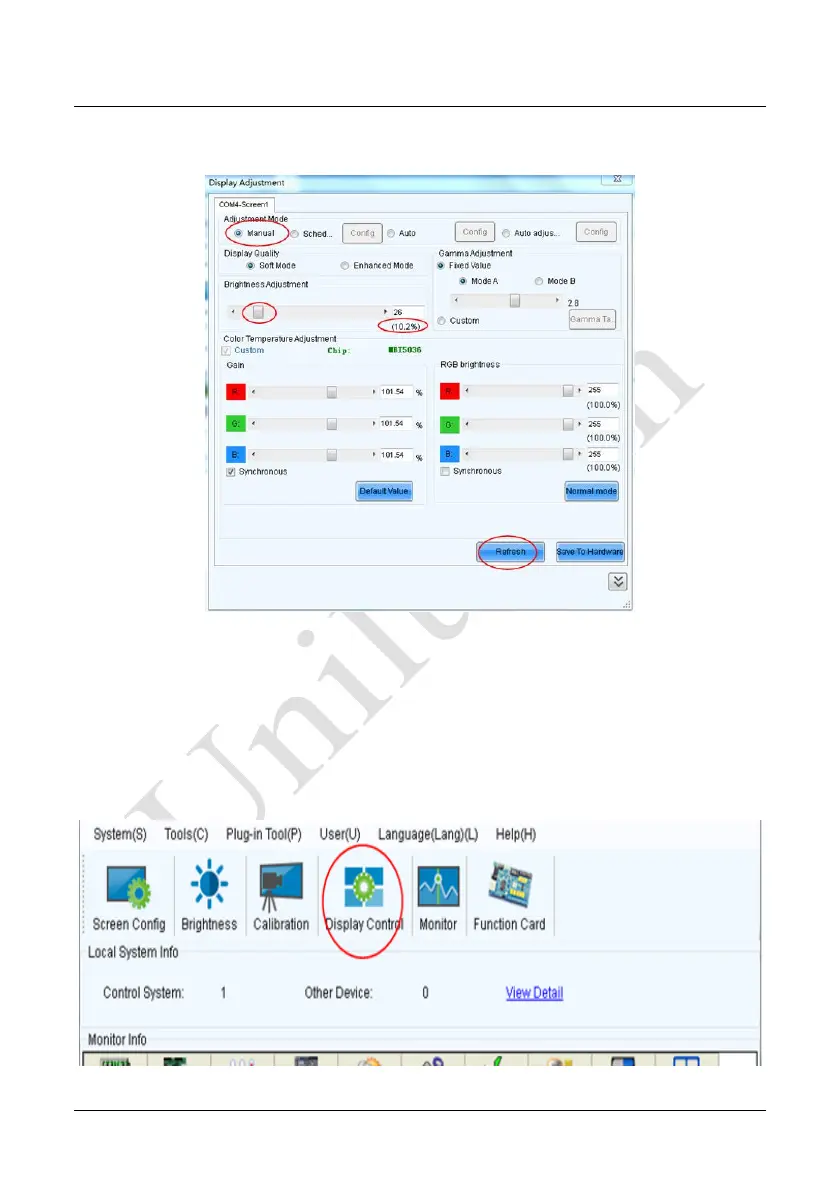
Select Manual and set the brightness to 26 (the brightness is about 10%) by dragging
the scroll bar below Brightness Adjustment. See Figure 5-3:
Figure 5-3 Manual Adjustment
NOTE: It is recommended that manual brightness adjustment be finished within 60
seconds.
Return to the main window. Click Display Control to enter the Screen Control
interface. Set Self Test to White. Click Send to finish the operation. As showed in
Figure 5-4 and Figure 5-5.
Figure 5-4 Display Control


 To Next Page