18
Connecting via Network (LAN) Cable
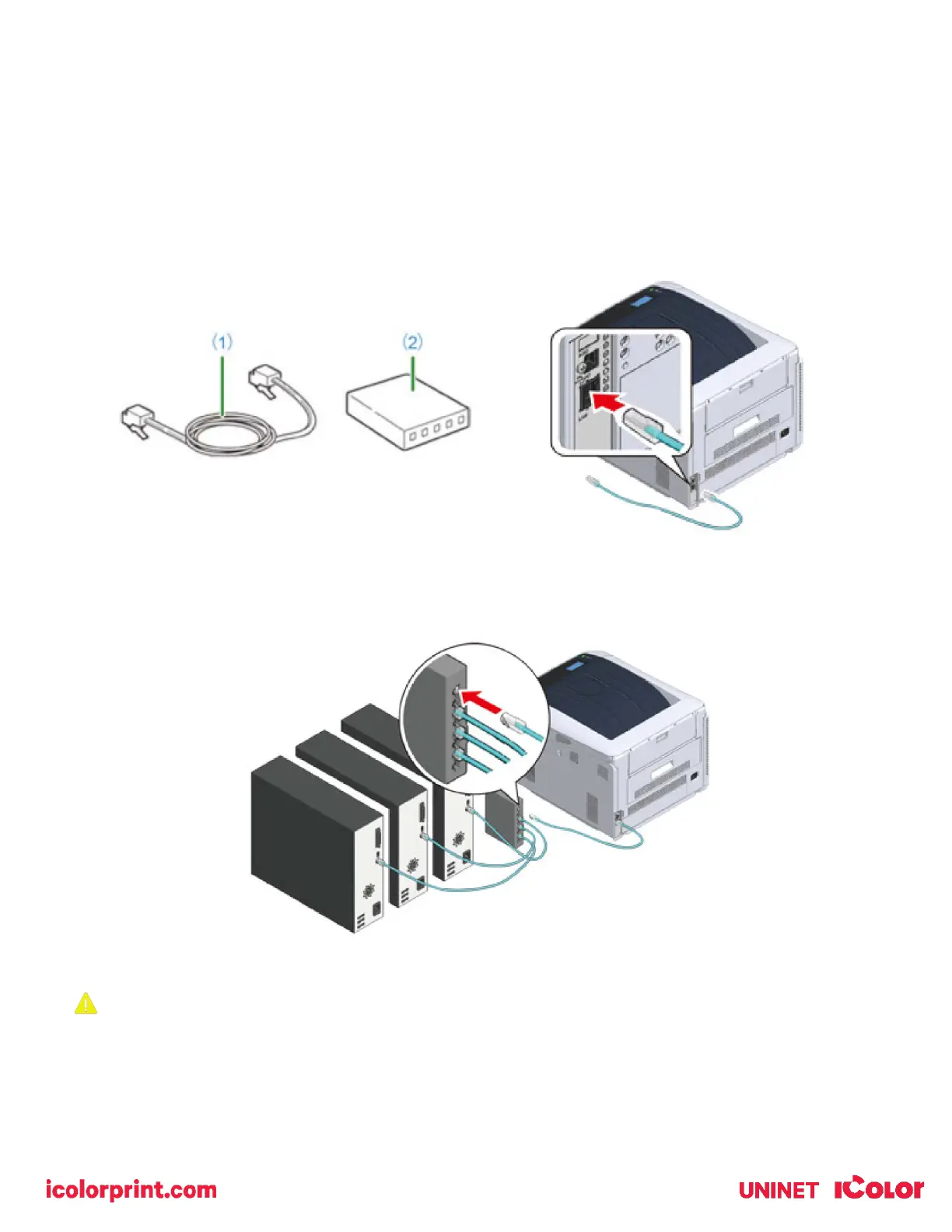
1) Prepare the LAN cable (1) and hub, switch or router (2).
2) With the printer off, insert one end of the LAN cable into the back of the printer.
• A LAN cable is included with your printer.
• Do not insert the LAN cable into the USB connector. This may cause a malfunction.
• Do not connect both the LAN and the USB cable at the same time. This may cause a malfunction.
3) Plug the other end of the LAN cable into your hub, switch or router to complete the connection.
• Do not plug this into the LAN connection of your computer. Doing so will not establish a connection.
If you are connecting via Wi-Fi, it is not necessary to connect either the USB or LAN cable.



 To Next Page