25
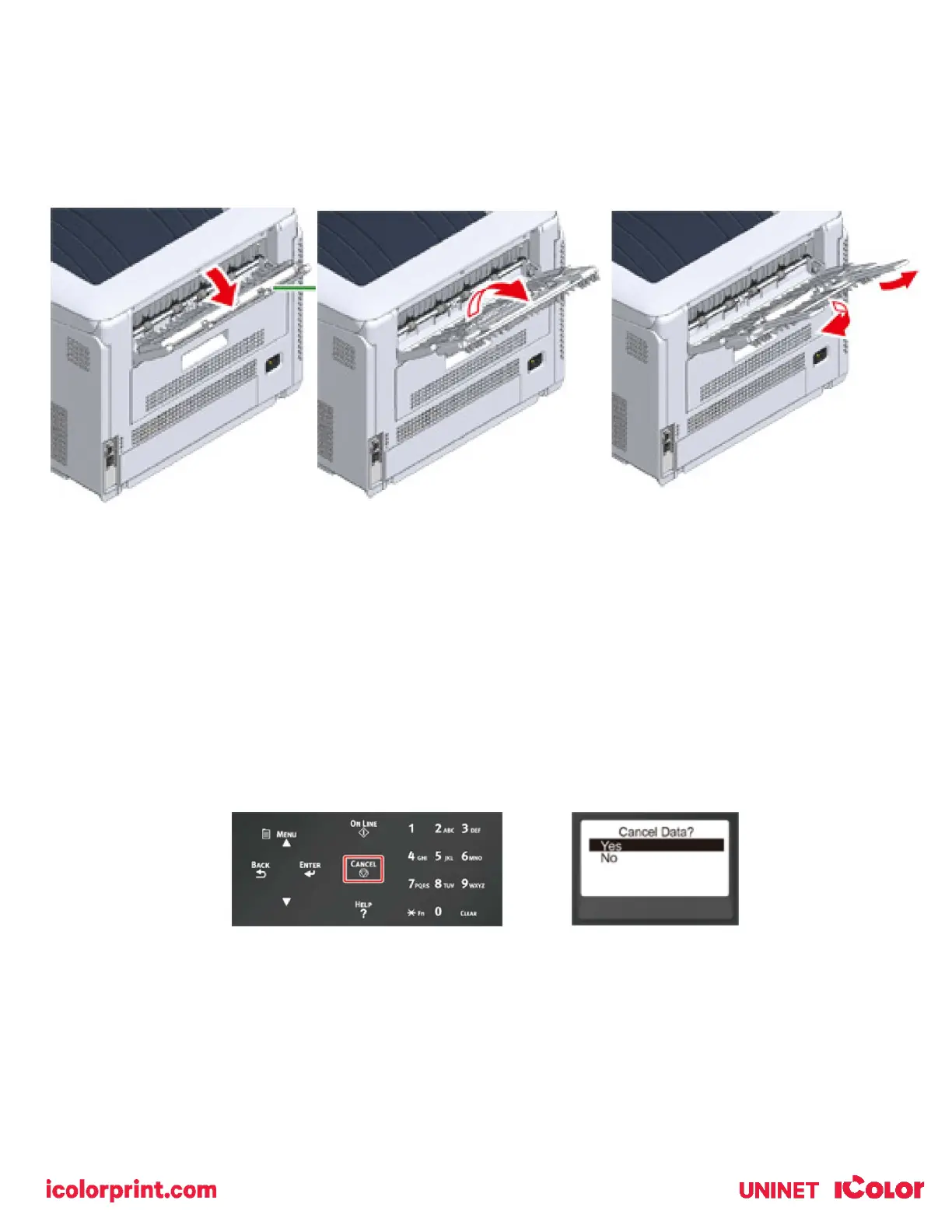
3) Use the rear output tray when a straight paper path is required, or when printing on envelopes, labels, or long
paper. Paper is printed with the printed side up and piled in reverse chronological order.
4) Open the rear output tray (1) on the rear side of the printer.
5) Unfold the paper support and the sub support.
Cancelling Printing
1) To cancel data currently being printed or ready to print, press the «CANCEL» button on the operator panel.
2) To cancel printing, select "Yes", then press the «ENTER» button.
• To continue printing, select "No", and then press the «ENTER» button.
• If no operation is made for three minutes, the screen disappears and printing resumes.



 To Next Page