65
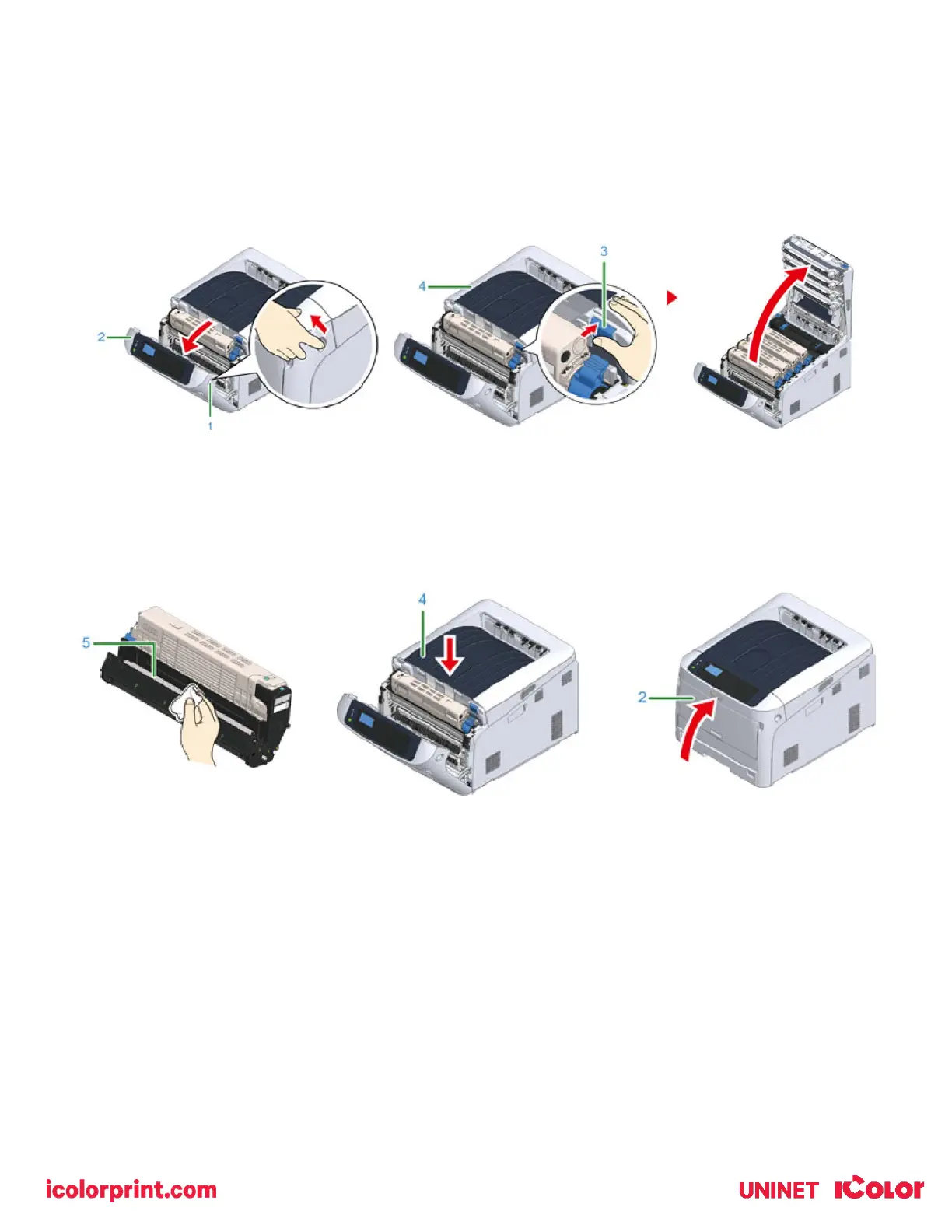
Cleaning the Light-shielding Film
• Clean the light-shielding film of the image drum becomes dirty, wipe the film by following the procedures below.
1) Insert your finger into the recess on the right side of the printer and pull the front cover open lever (1) to open the
front cover (2) forward.
2) Press the open button (3) and open the output tray (4).
3) Remove the image drum.
4) Wipe the light-shielding film (5) with soft tissue paper or a lint free cloth.
5) Close the output tray (top cover) (4) by pushing down on the center of the cover firmly.
6) Close the front cover (2).
Cleaning the Paper Feed Rollers (Tray 1)
• Clean the paper feed roller in the paper tray and the rollers inside the printer.
1) Pull out the paper cassette (1).
2) Wipe the two paper feed rollers (2) inside the printer with a wet cloth that has been wrung out well.



 To Next Page