66
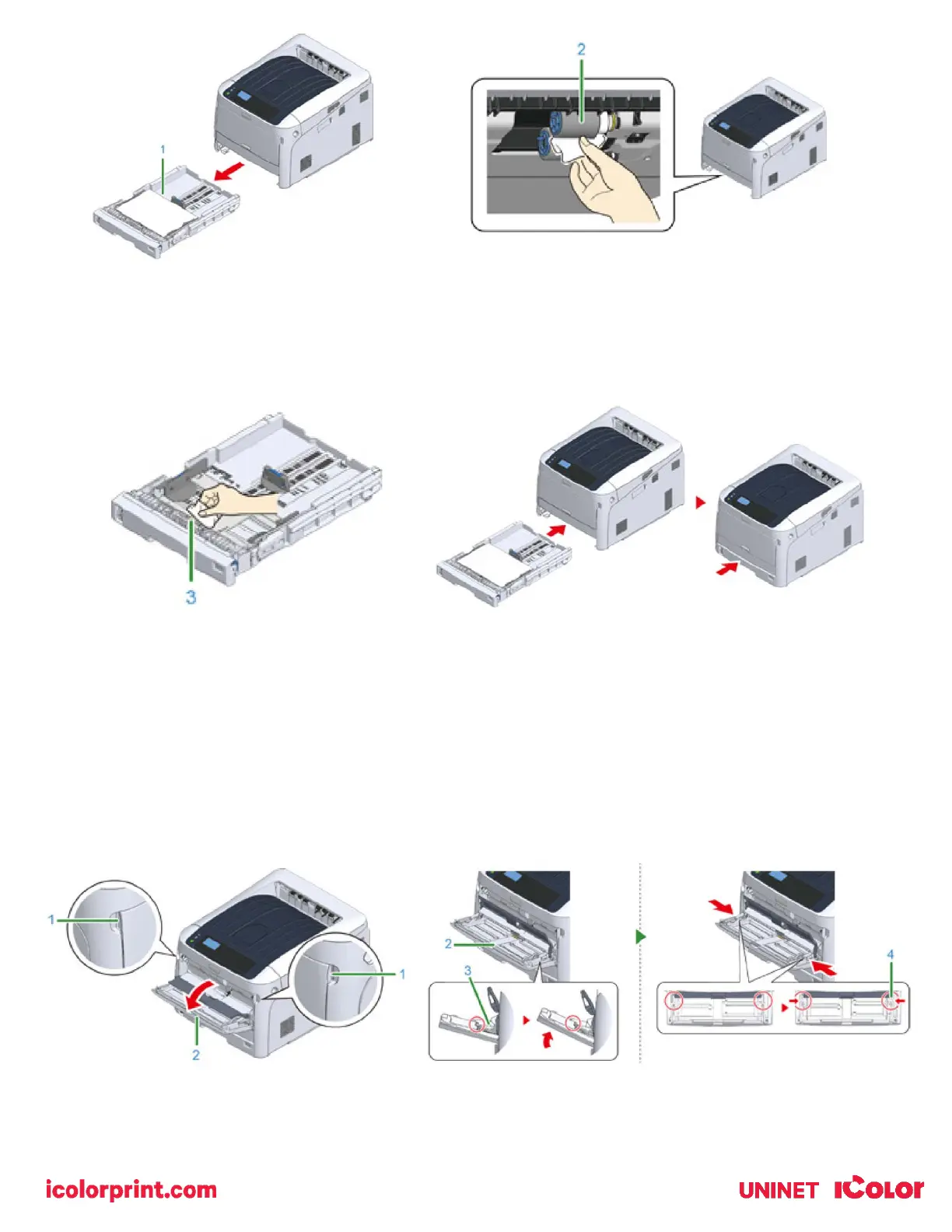
3) Remove paper loaded in the paper cassette.
4) Wipe the paper feed roller (3) on the paper cassette with a wet cloth that has been wrung out well.
5) Load paper in the paper cassette. Push the paper cassette back into the printer.
Cleaning the Paper Feed Rollers (MP Tray)
• If paper jams occur frequently, clean the paper feed rollers.ean the paper feed roller in the paper tray and the
rollers inside the printer.
1) Open the MP tray (2) forward by inserting your fingers into the front recesses (1).
2) Slightly lifting the MP tray (2), press the right arm (3) inward, then unlock the tab (4).



 To Next Page