54
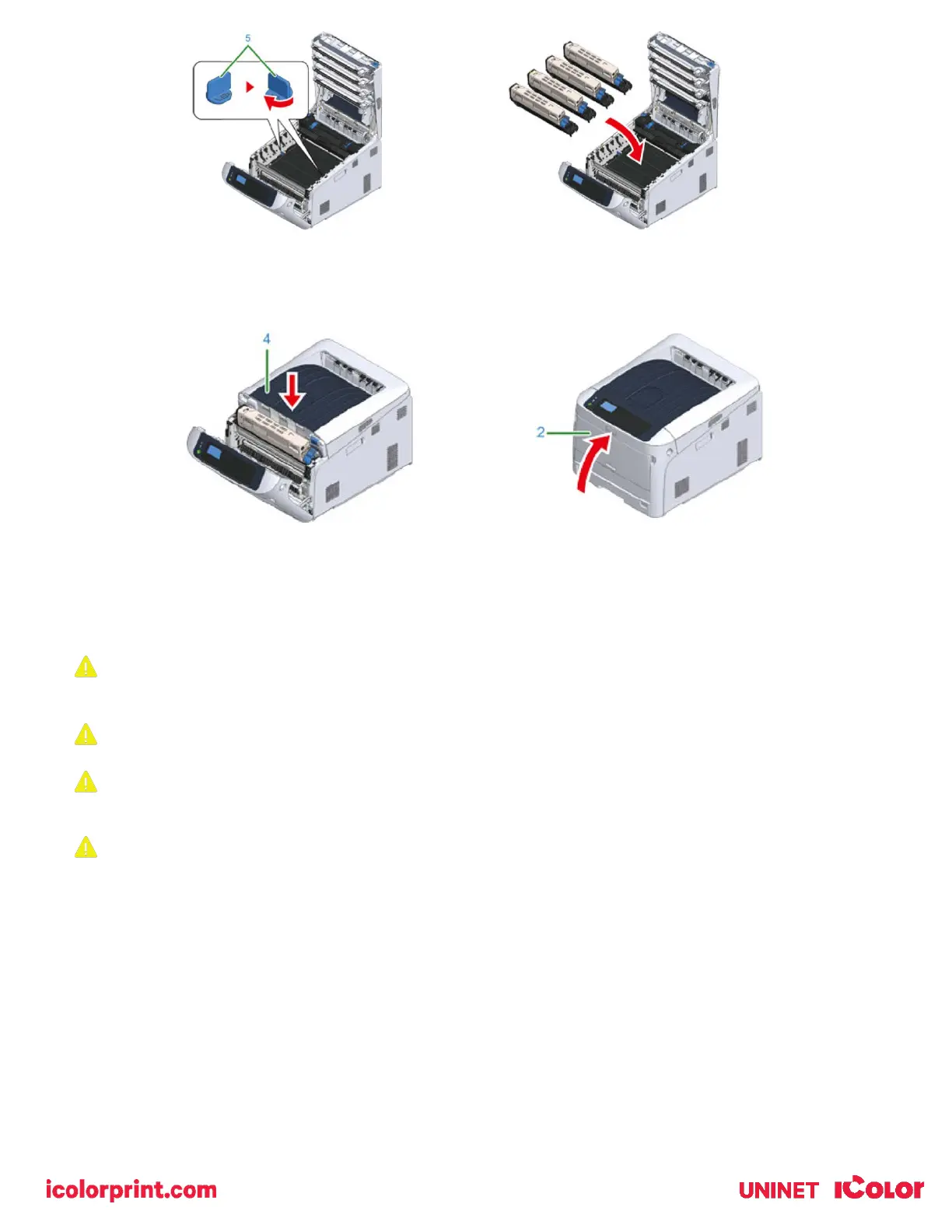
12) Close the output tray (4) by pushing the center of the output tray firmly. Close the front cover (2).
• The front cover cannot be closed if the output tray is not closed securely.
Replacing the Fuser Unit
When the ‘Fuser Unit Near Life’ message appears on the display screen, prepare a replacement fuser unit. You can
keep printing approximately 2,500 pages until the next message appears.
When the "Change Fuser Unit" message appears, replace the fuser unit.
When using A4 paper (simplex printing), the estimated replacement cycle of a fuser unit is approximately 100,000
pages.
This estimation assumes the standard use condition (three pages are printed at a time). Printing one page at a
time reduces the fuser unit lifetime approximately by half.
1) Power down the printer and prepare a replacement fuser unit.
2) Insert your finger into the recess on the right side of the printer and pull the front cover open lever (1) to open the
front cover (2) forward.
3) Press the open button (3) and open the output tray (4).



 To Next Page