55
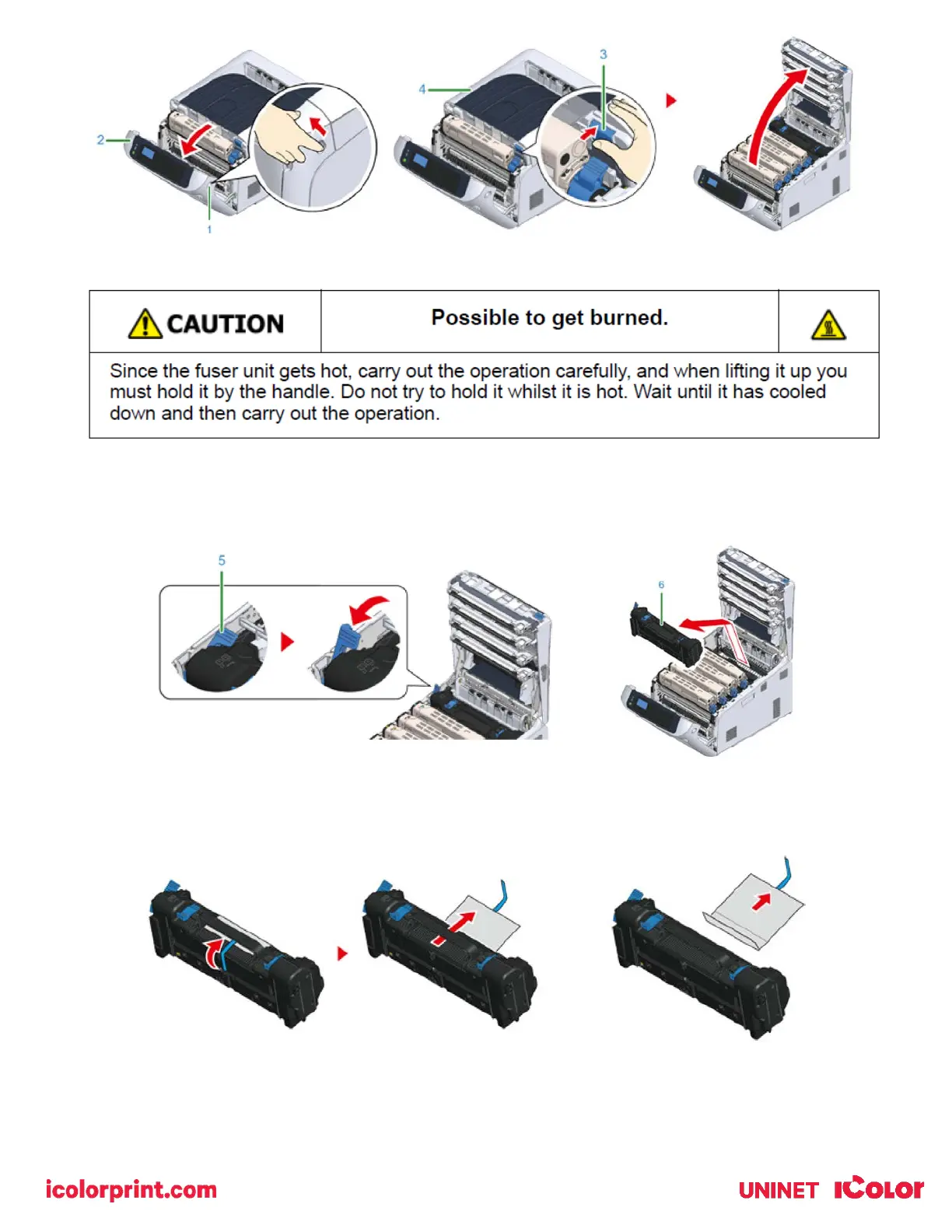
4) Pull forward the left locking lever (5) of the fuser unit to unlock.
5) Hold the fuser unit handle (6) and take out the fuser unit from the printer.
6) Peel off the tape from the new fuser unit, and pass the tape through the handle of the fuser unit.
7) Pull the protective sheet in the direction of the arrow to remove.
8) Pull forward the left locking lever (5) of the fuser unit.



 To Next Page