68
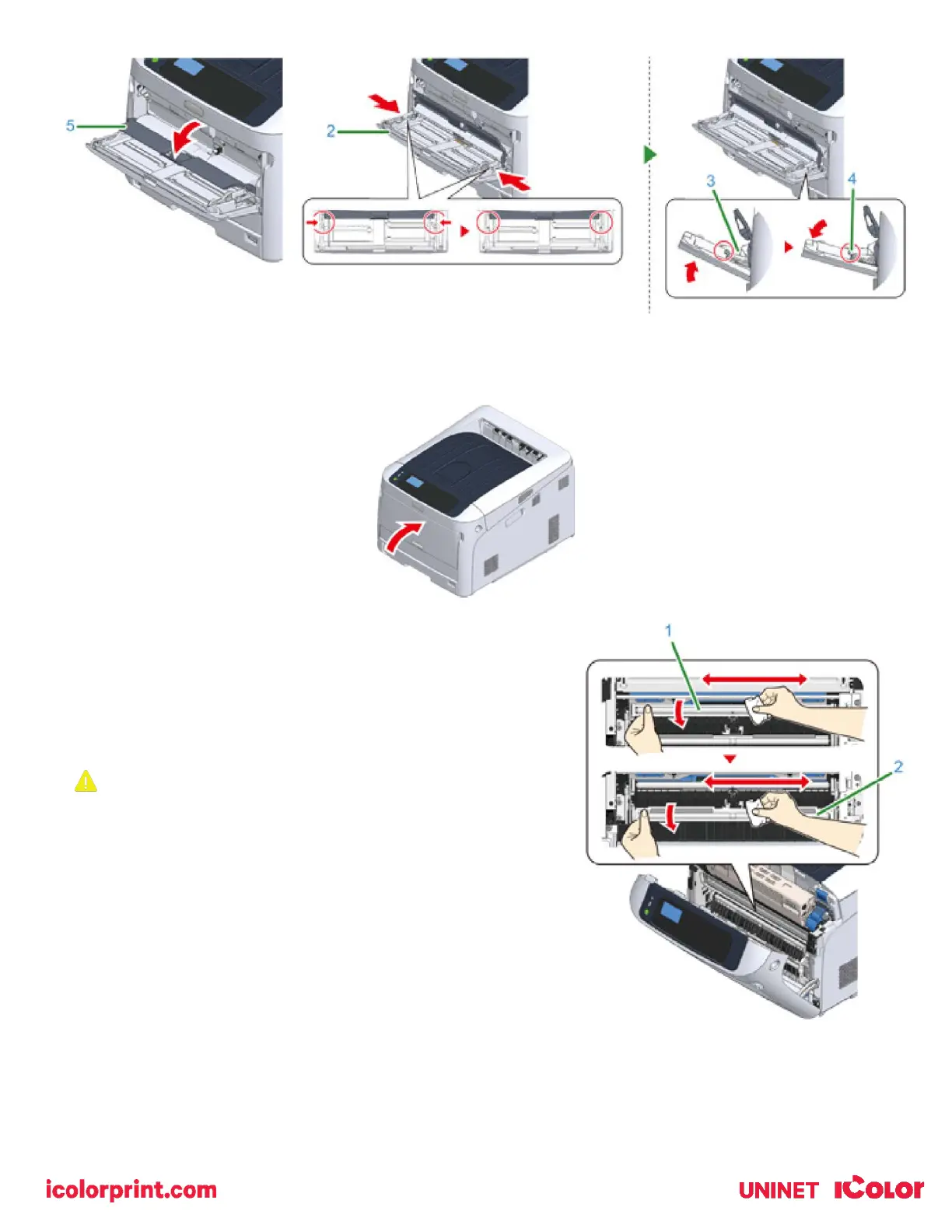
12) Close the MP tray. If the MP tray cannot be closed, press the paper setting part of the MP tray downward to put
the paper set cover back in place.
Cleaning the Resist Roller
• Clean the resist rollers in the following steps when they are
dirty.
1) Open the front cover.
2) Wipe the metal part (1) and (2) of the resist roller which can be
seen in front with a soft tissue paper.
When cleaning the metal part (2), do not touch the rubber roller
which contacts the metal part (2).
3) Turn the metal parts downwards and wipe them until they get
clean.
4) Close the front cover.



 To Next Page