8
How to use the Numeric Keypad
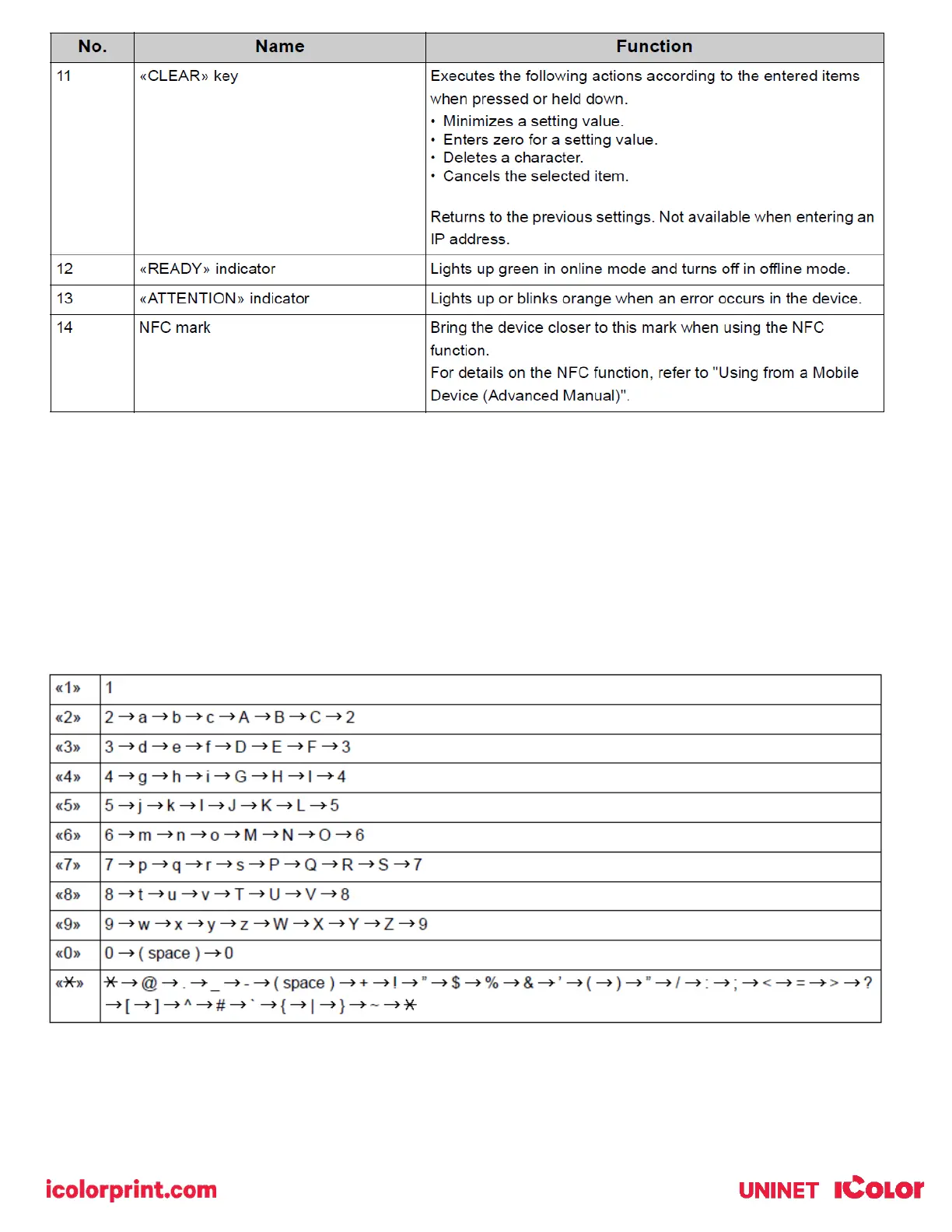
• Use to enter numbers and characters. Press the key consecutively to switch between numbers and characters.
Press the key until the desired character is displayed, and then press the «ENTER» button.
• Available characters and how to switch types of characters are shown below.
• Alphabetic characters do not appear on the menu which accepts only numbers.



 To Next Page