64
Maintaining your Printer
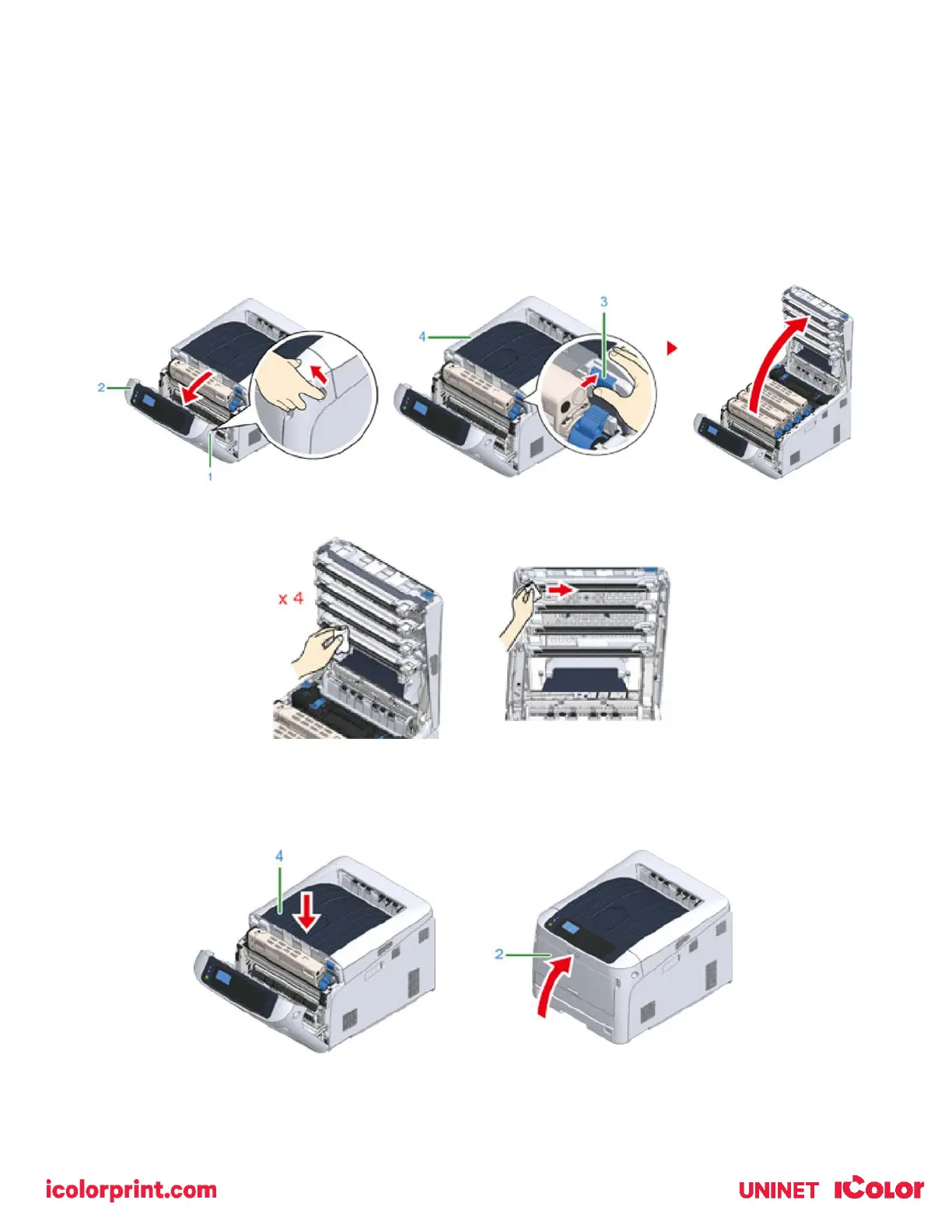
Cleaning the LED Heads
• Clean the LED heads if vertical white lines appear, images are faded, or the periphery of letters are smudged in
the printouts.
1) Insert your finger into the recess on the right side of the printer and pull the front cover open lever (1) to open the
front cover (2) forward.
2) Press the open button (3) and open the output tray (4).
3) Wipe the four lenses of the LED heads with a soft tissue paper or a lint free cloth, lightly.
4) Close the output tray (top cover) (4) by pushing down on the center of the cover firmly.
5) Close the front cover (2).



 To Next Page