20
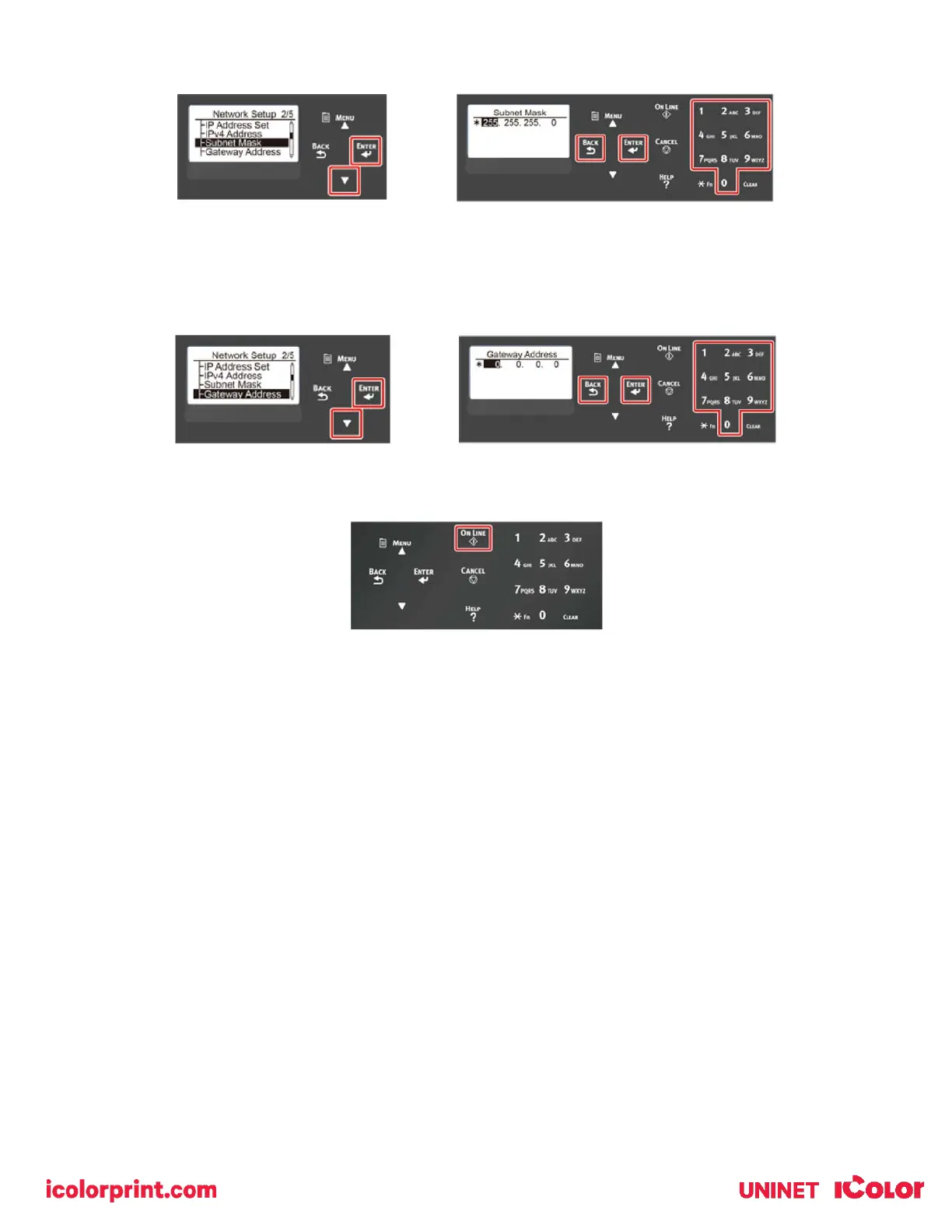
8) Enter the subnet mask in the same manner as the IP address. When complete, press the «BACK» button.
9) Press the down scroll button to select [Gateway Address], and press the «ENTER» button.
10) Enter the Gateway Address in the same manner of IP address. All input was completed, then press the «BACK»
button.
11) Press the «ON LINE» button to complete the network settings.



 To Next Page