31
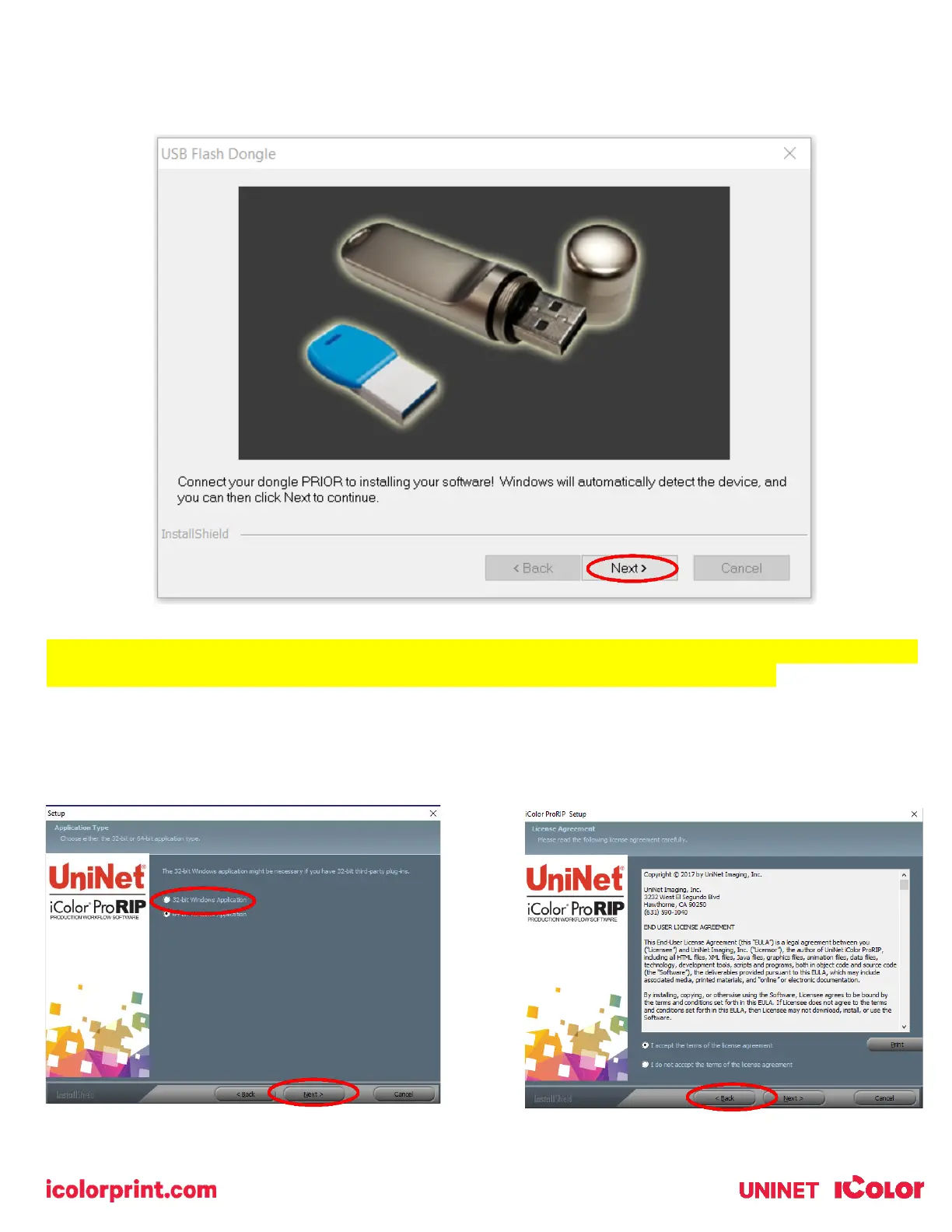
3) You will be prompted to insert the USB dongle before proceeding with the installation. If already inserted, click
‘Next’. (There is only one dongle shipped with your system, and can look like either of the types represented
below).
IMPORTANT: This USB dongle is your license key. Ensure that it is not lost or broken, as UNINET cannot
replace it without a charge. You cannot use the software without it installed in your PC.
4) Select either the 32 or 64 bit application (dependent upon your version of windows). Accept the terms of the
license agreement and click ‘Next’.



 To Next Page