
EasyManua.ls Logo

UseTECH FlowTimer+ - User Manual

UseTECH FlowTimer+
53 pages
Print Icon
To Next Page IconTo Next Page
Loading...
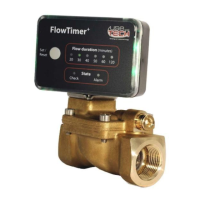
FlowTimer+ Set
The fuse in the pipe
Innovative monitoring method for piping systems
Operating and Test
instructions

Other manuals for UseTECH FlowTimer+

Questions and Answers

  • C
    Christina HillAug 9, 2025
    Why is the status display permanent red on my UseTECH Measuring Instruments?
    • A
      Alvin MatthewsAug 10, 2025
      A permanent red status display on your UseTECH Measuring Instruments can be triggered by several factors: * Exceeding the preset maximum permanent flow duration. In this case, check the mains pressure. * A large leak might be present. Check accessories on the I/O port, using the accessory instructions. * Sensor breakage or incorrect sensor plug connection. Verify the plug connection of the sensor plug and pressure sensor. * Mains pressure dropping briefly below 1 bar. Check the mains pressure. * External accessories triggering the shut-off. Check the accessories on the I/O port, using the accessory instructions.
  • A
    Amy HernandezAug 14, 2025
    What to do if the status display is permanent green despite water flow in UseTECH Measuring Instruments?
    • A
      Amanda YoungAug 14, 2025
      If the status display on your UseTECH Measuring Instruments remains permanently green even though water has been flowing continuously for longer than set, temporarily close the KFR valve on the water meter. If the status display remains permanently green after test 8.3 "Verification of leakage", temporarily turn off the valve in front of the boiler and the safety group and do the test 8.3 again.
  • J
    Jean MannAug 25, 2025
    How to fix a permanent green status display but no water with UseTECH Measuring Instruments?
    • L
      laurapittmanAug 25, 2025
      If your UseTECH Measuring Instruments show a permanent green status display but there is no water flow, it might be due to the pressure sensor being installed upstream instead of downstream of the FlowTimer+ shut-off valve. If there is no incorrect installation, please take pictures of your installation and send them to our customer service.
  • A
    Anthony LeeAug 29, 2025
    How to troubleshoot no display on UseTECH Measuring Instruments?
    • H
      hunternicholeAug 29, 2025
      A fault in the voltage supply has switched off the FlowTimer+. If this error occurs repeatedly, consult a specialist.
  • K
    kristinakimSep 3, 2025
    How to check the entire system restart and function of UseTECH FlowTimer+?
    • K
      Katherine PotterSep 4, 2025
      To check the entire system restart and function of the UseTECH Switch, refer to the "FlowTimer+ Set instructions".
  • M
    Monica DixonSep 10, 2025
    Why is the status display permanent yellow on my UseTECH Measuring Instruments?
    • C
      Christina PatrickSep 12, 2025
      A permanent yellow status display on your UseTECH Measuring Instruments indicates that water withdrawal or a leak was detected during system restart, or that your overall system was not tight for several hours. Test the piping system for leaks (see chapter 8.2 "Checking for leaks").

UseTECH FlowTimer+ Specifications

General IconGeneral
BrandUseTECH
ModelFlowTimer+
CategorySwitch
LanguageEnglish