RoboSHOT HD Cameras
RoboSHOT HD Cameras - Document Number 342-0796 Rev C Page 3 of 68
TABLE OF CONTENTS
Overview .................................................................................................................................................................... 5
Unpacking the Camera Systems ............................................................................................................................... 7
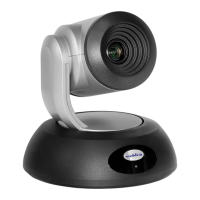
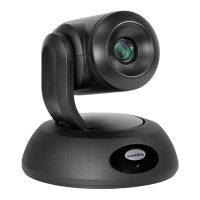
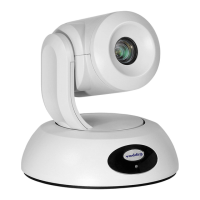
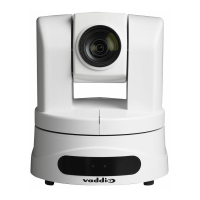
Image: RoboSHOT 12 HD PTZ Camera ........................................................................................................... 8
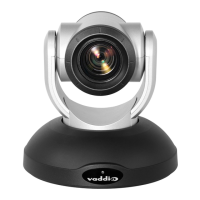
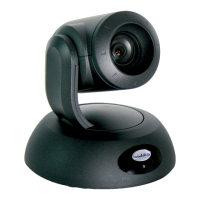
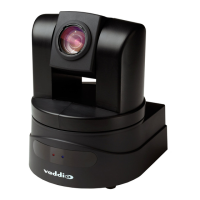
Image: RoboSHOT 30 HD PTZ Camera ........................................................................................................... 9
Image: RoboSHOT 12 and 30 Rear Panel Connections ................................................................................ 10
Quick-Connect USB Interface ................................................................................................................................. 11
Image: Front Panel with Feature Call-outs ...................................................................................................... 11
Image: Rear Panel with Feature Call-outs ...................................................................................................... 12
Table: Quick Connect USB Rear Panel DIP Switch Settings ......................................................................... 12
Basic Application Diagrams ..................................................................................................................................... 13
Diagram: Basic Wiring Configuration - UCC Application................................................................................. 13
Setting up the RoboSHOT ....................................................................................................................................... 14
Drawing: DIP Switch and Resolution Label on the Bottom of the RoboSHOT ................................................ 14
Setting the RoboSHOT Switch Gear:................................................................................................................... 14
Dip Switch Settings Further Explained (DSSFE): ................................................................................................ 14
Set the RoboSHOT Resolution ............................................................................................................................ 14
Installation Basics: ................................................................................................................................................... 15
Controlling the Camera ............................................................................................................................................ 16
IR Remote Commander ................................................................................................................................... 16
Telnet Control ................................................................................................................................................... 16
RS-232 Control ................................................................................................................................................. 17
Built-in Webserver Control ............................................................................................................................... 17
Controlling the Quick-Connect USB: ....................................................................................................................... 17
RS-232 Control ................................................................................................................................................. 17
Telnet Control ................................................................................................................................................... 17
Built-in Webserver Control ............................................................................................................................... 17
Quick-Connect USB Details ................................................................................................................................. 17
So Far ...................................................................................................................................................................... 17
Software and OS Compatibility ................................................................................................................................ 18
Table: Supported UVC Resolutions ................................................................................................................ 18
The RoboSHOT Screen Shot Tour .......................................................................................................................... 19
Compatible Web Browsers .................................................................................................................................. 19
DHCP IP Set-up (Dynamic Host Configuration Protocol) .................................................................................... 19
Static IP Set-up: ................................................................................................................................................... 19
Screen Shot: Login .......................................................................................................................................... 19
Screen Shot: Camera Control Page ................................................................................................................ 20
Screen Shot: Storing Presets .......................................................................................................................... 21
Screen Shot: Admin login from the Camera Control Page ............................................................................. 22
Screen Shot: Admin Menu - Camera Settings ................................................................................................ 23
Screen Shot: Admin Menu - Room Labels ...................................................................................................... 24
Screen Shot: Admin Menu - DHCP Network Configuration ............................................................................ 25
Screen SHOT: Admin Menu - Static IP Configuration ..................................................................................... 25



 To Next Page