RoboSHOT HD Cameras
RoboSHOT HD Cameras - Document Number 342-0796 Rev C Page 40 of 68
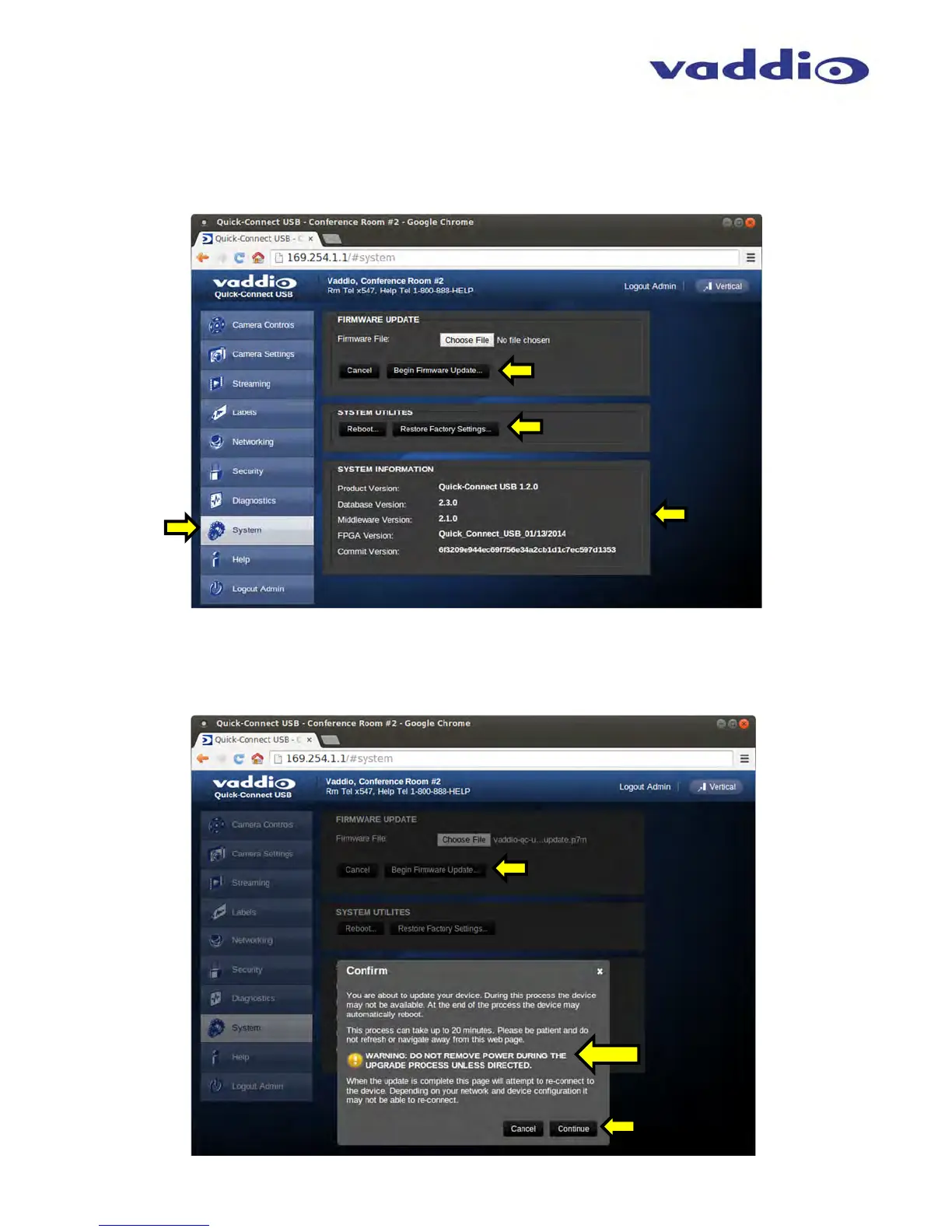
Screen Shot: Admin Menu - System Menu
The System Menu is where the System Info is displayed and Firmware Updates are performed. There will be
firmware updates and upgrades over the life of the Quick-Connect. The file for the firmware update is chosen in
this menu and the update is started here too. A remote system Reboot and Restore to Factory Presets is also
available.
Screen Shot: Admin Menu - Update Confirmation
After choosing an update file and clicking on “Begin Firmware Update…” a confirmation pop-up and warning will
be displayed. Please contact Vaddio Tech support for assistance with updates. Please read and completely
understand the pop-up warnings as it is easy to lose patience waiting for updates. Click on continue to start the
update



 To Next Page