Indicators
3-4 Force 2 Service Manual
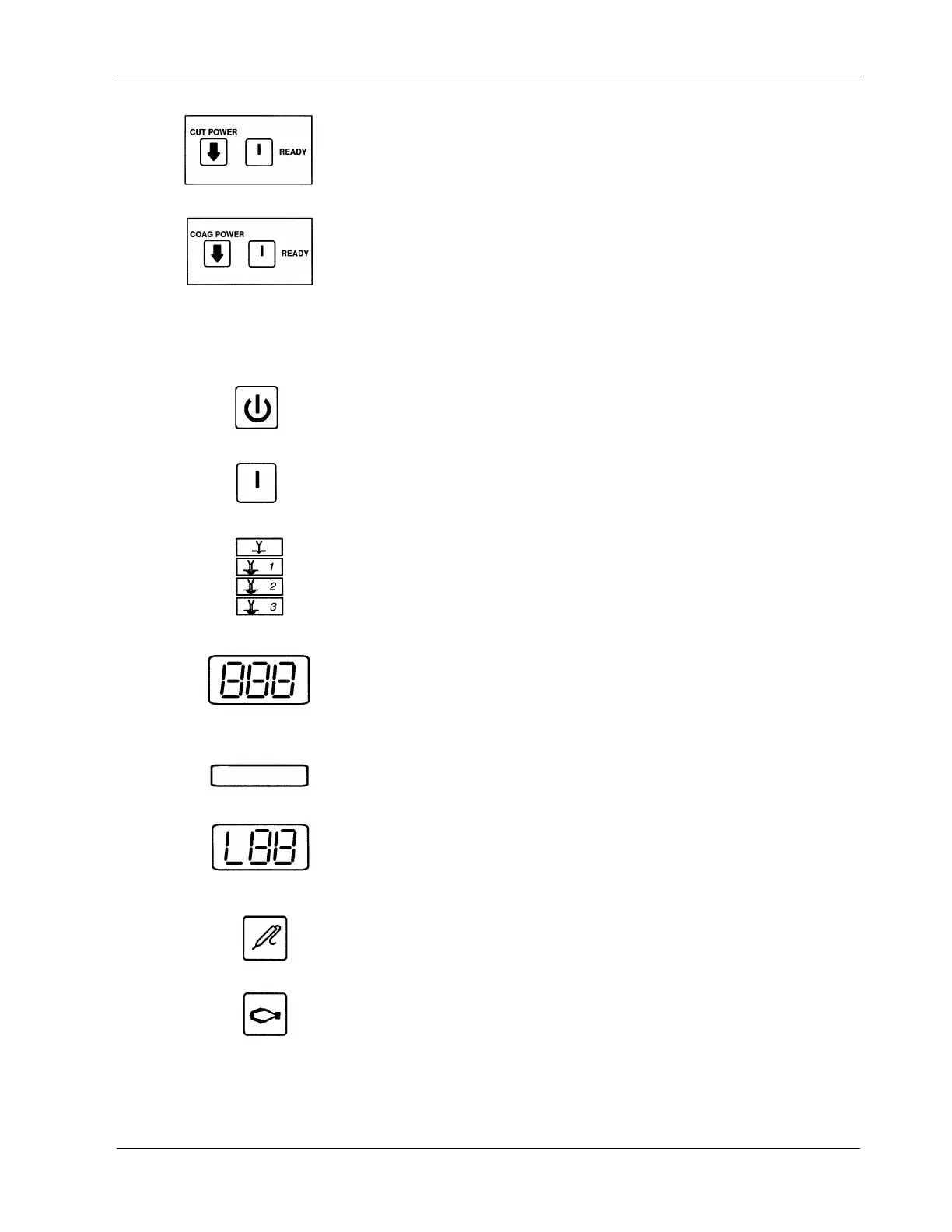
Power Control Pencil Mode – The power control pencil feature does not have a
dedicated button to access this mode. Press the READY button and while
holding it, press the CUT POWER DOWN button. The generator sounds a
single tone and the RMOTE lamp illuminates.
Low Voltage Coag – Low voltage coag does not have a dedicated button to
access this mode. Press the READY button and while holding it, press the
COAG POWER DOWN button. The generator displays an L in the hundreds
digit of the coag power setting display.
Indicators
Standby Indicator – Indicates generator is on, but cannot activate outputs.
Ready Indicator – Indicates generator is ready for use.
Cut Mode Indicators – One of four cut mode indicators illuminates to show
the selected cut mode.
Power Setting Display – The digital power setting display is visible on the
generator in the ready mode. The displayed number indicates the
nominal power in watts. When you activate the mode, the generator
delivers this power to the patient. In the standby mode, the generator
display shows dashes.
Output Power Indicators – The indicator illuminates when that output power
(cut, coag, bipolar) activates. One of the two distinct mode indicator tones
sound in conjunction with the visual output power indicator.
Low Voltage Coag Mode Indicator – An L in the hundreds digit of the coag
power setting display indicates the low voltage coag mode selection.
Monopolar Indicator – This indicator illuminates when you select the
generator's monopolar footswitch for monopolar accessory activation.
Bipolar Indicator – This indicator illuminates when you select the generator’s
monopolar footswitch control to activate the bipolar output.



 To Next Page